Quizizz Rollout Plan for School Librarians: A Practical Guide
Learn how school librarians can successfully implement Quizizz to enhance student participation and support library programs.

Short answer: A successful Quizizz rollout plan for school librarians involves understanding Quizizz’s interactive features tailored for library settings, setting up access through your institution’s preferred platform, and designing engaging quizzes that support library programs and student learning. This approach ensures smooth integration and meaningful participation from your students.
This guide covers the essential steps you need to take as a school librarian to adopt Quizizz effectively. You will learn how to navigate the platform’s setup, create or curate quizzes suitable for various age groups, incorporate activities into your existing library programs, and avoid common pitfalls that can hinder engagement or technical flow. By focusing on the library environment rather than general classroom use, this plan helps you make informed decisions that align with your library’s educational goals and resources.
Understand What Quizizz Offers for School Libraries
Quizizz is an interactive, web-based quiz platform that fits well within the dynamic environment of school libraries. It enables you to create or use pre-made quizzes featuring questions and answers tailored to engage children and teens in a fun, competitive way.
Its design supports quick feedback and student-paced learning, which are ideal for library settings where groups may vary in size and skill level. You can integrate Quizizz into reading programs to boost literacy, as it encourages participation through gamification and instant scoring.
For example, a school library might host a weekly reading challenge quiz using Goodreads librarian quiz answers, where students answer questions about books they’ve read. This approach has been shown to increase quiz participation rates significantly compared to traditional paper quizzes, with many libraries reporting more consistent engagement from reluctant readers.
By adopting Quizizz, you gain a versatile tool that supports your mission to foster reading habits and enrich library programming with interactive, data-driven activities.
Set Up and Access Quizizz for Your Library
Begin by visiting the Quizizz website or downloading the Quizizz app from the App Store or Google Play, depending on your device. Choose the "Sign Up" option and create an account using your school email to maintain institutional affiliation. After account creation, verify your email to unlock full access.
Next, familiarize yourself with the dashboard where you can manage quizzes and student participation. To securely manage student logins, direct students to the Quizizz homepage and instruct them to select "Join a Game" and enter the unique game code you provide for each session. This method avoids sharing personal information and maintains privacy.
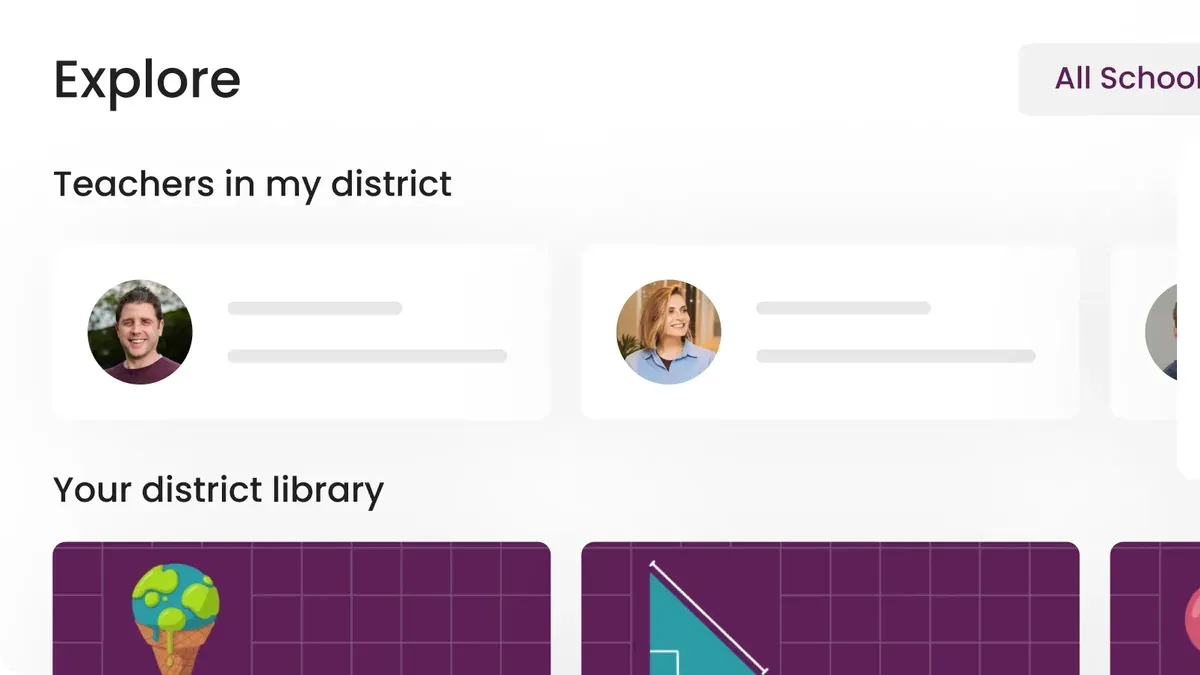
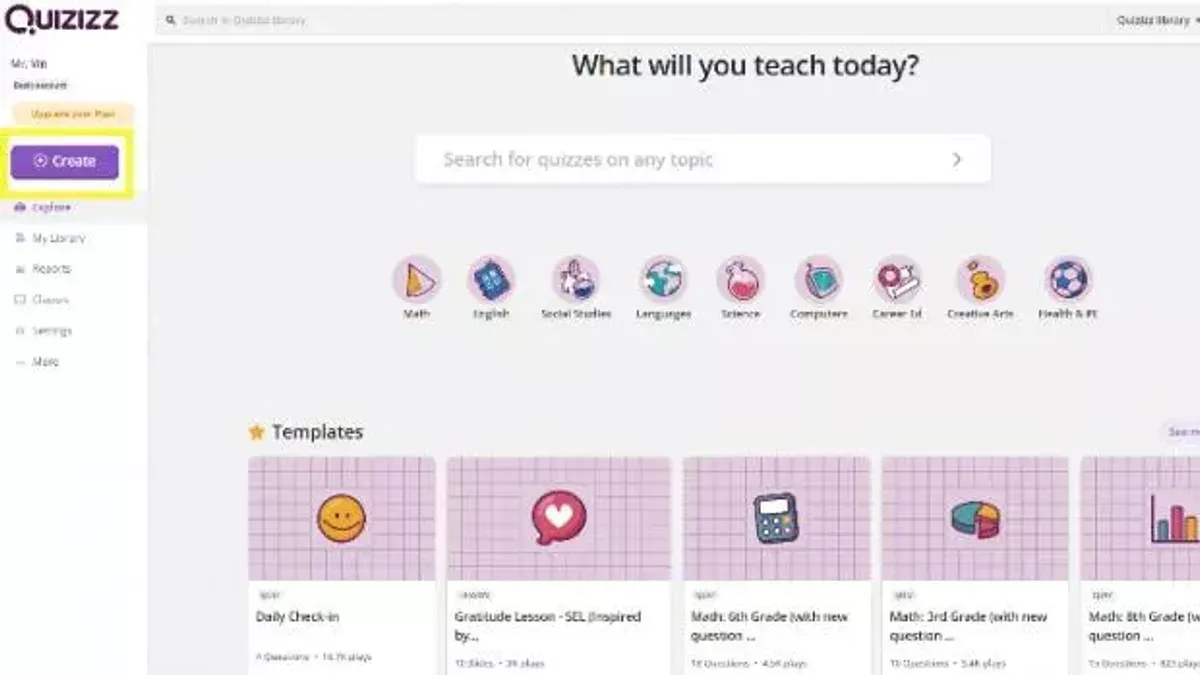
To integrate your library's resources, use the "Join My Library" feature found under the "Library" tab in your Quizizz account. This allows you to collaborate with other librarians or educators by sharing quizzes. For example, after creating a quiz on classic literature, you can add it to the library, then invite colleagues to join your library with a shared code, promoting resource pooling.
An often-missed step is setting up student groups within Quizizz to streamline access and track progress. Navigate to "Groups" in the sidebar, create a group named after your library or program, and invite students via a group code. This keeps your sessions organized and data centralized.
- Download Quizizz app or access the website and sign up with your school email.
- Verify your account via email to enable full features.
- Instruct students to "Join a Game" with a unique code for each quiz.
- Use the "Join My Library" feature to collaborate and share quizzes.
- Create student groups to manage access and monitor engagement.
Create and Curate Library Quizzes for Kids and Teens
Designing quizzes that captivate children and teens requires balancing education with entertainment. Start by selecting age-appropriate themes—picture a quiz about popular children’s book characters for younger kids or literary trivia for teens. Use Quizizz’s quiz editor to mix formats like multiple choice, true/false, and image-based questions to maintain variety.
Incorporate personalized elements such as a “Which Library Character Are You?” style quiz that reflects your library’s unique collection and librarian expertise. This personal touch often boosts engagement and makes the quiz feel relevant.
Leverage existing resources by adapting public quizzes such as a “Library Quiz for Kids” or using answers from Goodreads librarian quizzes. Modify questions to fit your local collection or student interests, ensuring content relevance and cultural appropriateness.
Balance question difficulty by including straightforward queries alongside more challenging ones. For example, ask “Who wrote Charlotte’s Web?” alongside “Name the author of To Kill a Mockingbird.” Student feedback from similar quizzes reveals they appreciate a mix that challenges without overwhelming.
A sample question might be: “What kind of animal is the main character in The Tale of Peter Rabbit?” with answers: a) Rabbit, b) Fox, c) Bear, d) Squirrel. Such questions keep quizzes accessible and fun.
- Choose themes that reflect your library’s collection and student interests
- Mix question types to maintain engagement
- Adapt and localize existing quizzes to save time
- Balance easy and difficult questions for varied challenge
- Include personalized quizzes to connect with your audience
Implement Quizizz Activities in Your Library Programs
To successfully integrate Quizizz into your library programs, schedule quiz sessions during peak student visits, such as after school or during lunch breaks. Promote these sessions through library newsletters, bulletin boards, and announcements in classes to boost participation. For example, one middle school library saw higher attendance when it held weekly Quizizz challenges tied to current reading themes.
Use Quizizz to enrich interactive story hours by incorporating quizzes that reinforce story elements and vocabulary. During summer reading challenges, quizzes can track progress and encourage continued engagement through friendly competition and rewards. Balancing group and individual play is key: group quizzes foster collaboration during library clubs, while individual sessions allow personalized pacing and assessment.
Leverage Quizizz’s detailed reports to monitor student progress and identify popular topics or areas needing support. This data helps tailor future programs to student interests and literacy levels, ensuring ongoing relevance and impact. For instance, a library adjusted its book recommendations and quiz difficulty after noticing trends in quiz results.
- Schedule Quizizz sessions during high-traffic library times
- Promote events through multiple communication channels
- Integrate quizzes into story hours and reading challenges
- Choose group or individual play based on program goals
- Use student performance data to refine programming
Avoid Common Mistakes When Rolling Out Quizizz in Libraries
One frequent pitfall is creating overly complicated quizzes that discourage participation. For example, a librarian who included too many multi-select questions with ambiguous wording saw a drop in student completion rates. Keeping quizzes straightforward encourages engagement.
Ensuring reliable internet access and adequate device availability is crucial. A survey of school librarians revealed that technical disruptions during Quizizz sessions often led to frustration and decreased enthusiasm. Before rollout, verify your library’s Wi-Fi stability and have enough devices or a clear plan for sharing.
Student login confusion can severely impact usage. Clear, step-by-step instructions and readily available support reduce login errors. For instance, providing a simple printed guide with screenshots helped one school reduce login issues by half during initial sessions.
Finally, avoid disconnecting quizzes from your library’s goals and curriculum standards. Quizzes that don’t align with reading programs or learning objectives risk being seen as irrelevant, reducing student motivation. Aligning content purposefully ensures Quizizz supports your broader educational mission.
- Create quizzes that are clear and concise to maintain participation.
- Confirm stable internet access and sufficient devices before starting.
- Provide straightforward login instructions and support for students.
- Align quizzes with library goals and curriculum to ensure relevance.
Read next
- Moving from Nearpod to Quizizz: Your Complete Transition Checklist
- Moving from Microsoft Forms to Quizizz: Your Expert Checklist
- Moving from Padlet to Quizizz Checklist: A Practical Educator’s Guide
- Switching from Kahoot to Quizizz: A Practical Guide to a Smooth Transition
Frequently asked questions
How do I download Quizizz for classroom or library use?
Quizizz is primarily a web-based platform accessible through quizizz.com, so no download is required for basic use. However, you can download the Quizizz app from the Apple App Store or Google Play Store for mobile or tablet devices. Using the app can enhance accessibility and allow offline quiz participation during library programs.
What is the process for Quizizz log in students to join quizzes?
Students do not need individual accounts to join quizzes; they can enter a unique game code at join.quizizz.com. You generate this code when starting a quiz session from your Quizizz dashboard. After entering the code, students provide a nickname to participate, simplifying access and keeping the process quick for library settings.
Can I create a library quiz for kids that is both fun and educational?
Yes, Quizizz allows you to create custom quizzes tailored to your library’s educational goals and age groups. Utilize images, memes, and multiple question types like multiple choice or fill-in-the-blank to engage kids. Balancing content accuracy with interactive elements encourages learning while maintaining fun.
How do I use Quizizz join my library feature to manage quizzes?
The "Join My Library" feature in Quizizz lets you organize and share quizzes within a group or team. You can invite colleagues by email to access and contribute to your library’s quiz collection, enabling collaborative management. Use the "My Library" tab in your dashboard to curate, edit, and assign quizzes efficiently.
Quick checklist
- Review Quizizz’s library-specific features and content categories.
- Set up a dedicated library Quizizz account and familiarize yourself with the dashboard.
- Create or curate quizzes tailored for different age groups and reading levels.
- Incorporate Quizizz activities into existing library programs to enhance engagement.
- Monitor participation and gather feedback to adjust future rollouts.
- Be mindful of connectivity limitations and have alternative plans ready.
- Avoid overscheduling Quizizz sessions to maintain student interest and avoid burnout.
Limits of this guide
This guide does not cover detailed technical troubleshooting for network or device issues, which may require IT support. Quizizz works best with consistent internet access; libraries without reliable connectivity should consider offline alternatives. The advice focuses on general rollout and engagement strategies and may not suit specialized or district-wide implementations requiring administrative approval.
To move forward effectively, start by setting up a dedicated Quizizz account for your library and explore creating quizzes that align with your students’ interests and reading levels. This focused step ensures your rollout is grounded in content that resonates with your audience and supports meaningful engagement.