How to Protect and Recover Your Chime Account from Hacks
Discover how to secure your Chime account, identify hacks, and take swift action to recover control and protect your financial information.

You check your Chime account only to find unfamiliar transactions or that you can no longer log in. Discovering that your Chime account hacked is a troubling experience that raises questions about how it happened and how to regain control.
This article explains why Chime accounts can be targeted repeatedly, examines the security measures Chime has in place, and offers practical steps you can take to protect your account effectively. You will also learn what to do if your account is compromised and common user mistakes to avoid.
Key takeaways
- Phishing and weak credentials are common reasons for unauthorized access to Chime accounts.
- Chime employs encryption and fraud monitoring but user behavior significantly impacts account security.
- Enable two-factor authentication and use a strong, unique password for better protection.
- Immediately contact Chime support and freeze your account if you detect suspicious activity.
- Avoid sharing login details and beware of unsolicited messages asking for personal information.
What is a Chime account and why its security matters
Chime is an online-only financial technology company that offers checking and savings accounts without traditional branch access. Unlike conventional banks, Chime operates primarily through a mobile app and website, aiming to provide a streamlined, low-fee banking experience. Its accounts come with features like early direct deposit, automatic savings, and no overdraft fees, attracting millions of users nationwide.
Because Chime accounts are digital-only, security is especially critical. Your financial information and money are stored and accessed entirely online, which means that protecting your login credentials and personal data is essential to prevent unauthorized access. For example, if someone gains control of your Chime account, they could potentially transfer your funds or access sensitive transaction history without physical verification steps that a traditional bank branch might require.
Chime uses security measures comparable to many traditional banks, such as encryption, two-factor authentication (2FA), and fraud monitoring. However, because there is no physical branch to visit for identity verification, much of the security depends on how carefully you manage your account credentials and device security. This reliance on digital security heightens the importance of user vigilance.
With a user base that has grown to tens of millions of accounts, Chime represents a significant portion of online banking customers. Understanding what sets it apart and why its security matters helps you better protect your financial assets in a digital environment.
Why does my Chime account keep getting hacked?
Repeated hacking attempts on your Chime account often stem from several common vulnerabilities. Weak or reused passwords are a primary cause, especially when credentials leaked from unrelated data breaches are tried against your Chime login. This technique, known as credential stuffing, involves automated bots testing millions of username-password pairs and poses a significant threat to online accounts.
Phishing scams targeting Chime users have become more sophisticated, often mimicking official communication to trick you into revealing login details or verification codes. For example, you might receive a text message appearing to be from Chime asking you to confirm your account by entering your password on a fake website. Falling for this can immediately compromise your account.
Social engineering attacks, particularly SIM swapping, further increase risk. In these attacks, hackers impersonate you to your mobile carrier and transfer your phone number to a new SIM card. This allows them to intercept text-based two-factor authentication codes sent by Chime, bypassing an important layer of security.
Imagine a scenario where a hacker acquires your email and password from a breach on another platform, uses an automated bot to test these credentials on Chime, then executes a SIM swap to receive the verification code. This multi-step process can give them full access to your account.
Can Chime accounts be hacked and is Chime being hacked overall?
There have been no verified reports of Chime’s core systems or servers being breached. The company maintains a robust security infrastructure, including encryption and continuous monitoring, to protect its platform from large-scale cyberattacks. When users hear about “Chime accounts being hacked,” these incidents typically refer to individual accounts compromised due to vulnerabilities on the user’s end rather than a failure of Chime’s backend security.
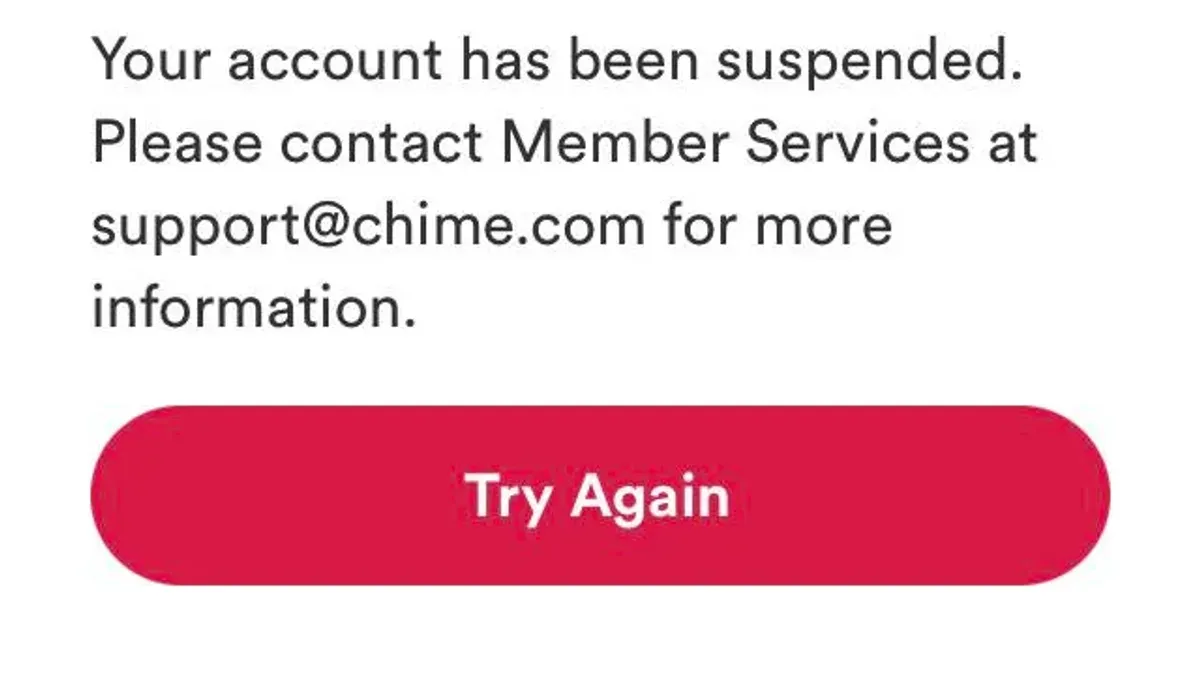
For example, a hacker might gain access to your Chime account by obtaining your login credentials through phishing emails or by exploiting weak passwords reused across multiple sites. These scenarios do not involve Chime’s systems being hacked but rather attackers targeting users’ personal information.
Chime actively responds to security threats by promptly investigating suspicious activity and advising affected users to reset passwords and enable multi-factor authentication. Past incidents reported on social media or forums often involve SIM swapping or credential stuffing attacks, which are common across many digital banking platforms and highlight the importance of securing your personal devices and contact information.
Experts emphasize that while no system is impervious, Chime’s security posture aligns with industry standards. The critical factor remains user behavior, making it essential to implement recommended safeguards diligently.
How to create and get a Chime account safely
To open a Chime account, you need to be at least 18 years old and a U.S. citizen or permanent resident with a valid Social Security number. Start by downloading the Chime app from the official app store or visiting Chime’s website. The signup process requires you to enter your personal information, including your full name, date of birth, address, and Social Security number, to verify your identity.
During signup, Chime uses identity verification services that may flag inconsistencies or errors. Common reasons for account denial include entering a mismatched Social Security number, using a PO box instead of a physical address, or providing outdated information. For example, if your driver’s license address differs from the one you enter, the system might reject your application.
Security best practices during this step include using a secure Wi-Fi connection and avoiding public networks to prevent interception of your sensitive data. Choose a strong, unique password when prompted, and enable two-factor authentication immediately after account creation to add an extra security layer.
One step users often miss is carefully reviewing the information entered before submitting. A single typo in your Social Security number or address can cause verification failures and delay account access. Chime does not send verification codes via email during signup, so watch for SMS texts on your phone and avoid third-party apps that might interfere with receiving these texts.
Following the proper signup flow and double-checking your information helps ensure a smooth and secure account setup, reducing the risk of onboarding issues or fraudulent access attempts.
How to protect your Chime account from hacks
Start by using a strong, unique password for your Chime account. Avoid common words or simple sequences; instead, combine uppercase and lowercase letters, numbers, and symbols. A reliable password manager helps generate and store complex passwords securely, removing the need to remember each one.
Enable two-factor authentication (2FA) to add a critical security layer. App-based authenticators like Google Authenticator or Authy are more secure than SMS-based 2FA, which can be vulnerable to SIM swapping. For example, when you log in, after entering your password, you'll be prompted to enter a code from your authenticator app, making unauthorized access much harder.
Be vigilant against phishing and social engineering. Phishing attempts often mimic official Chime emails or texts asking for login details or personal information. Look for subtle misspellings in sender addresses, unexpected urgent requests, or links leading to suspicious URLs. For instance, a fake message might claim your account is locked and urge you to click a link immediately — instead, always access your account directly through the official app or website.
Secure your mobile device by setting a strong lock screen PIN or biometric authentication. Contact your mobile provider to add a PIN or password on your account to prevent SIM porting attacks, which hackers use to intercept 2FA codes. Regularly update your device’s operating system and apps to patch known security vulnerabilities.
Steps to take if your Chime account is hacked or you are locked out
If you notice suspicious activity or cannot access your Chime account, act quickly to limit potential damage. Start by contacting Chime support through the app or website. Use the “Help” section to find the option to chat or call; response times typically range from a few minutes to a few hours depending on volume.
When you reach support, be ready to verify your identity. This usually involves confirming your full name, date of birth, and the last four digits of your Social Security number. Having your linked phone number and email handy expedites the process.
Next, reset your password immediately via the app’s “Settings” > “Security” > “Change Password” menu. Change the password on any devices where you remain logged in to prevent ongoing unauthorized access. Remove unrecognized devices if the app shows device management options.
Monitor recent transactions carefully. Use the app’s transaction history and report any unauthorized charges through the “Dispute a Transaction” feature or by telling support directly. Chime’s dispute process can take several days but usually starts promptly once reported.
After regaining control, strengthen your account further by enabling app-based two-factor authentication if not already active, and review your linked phone number and email for any unauthorized changes. Avoid using public Wi-Fi when accessing your account during recovery to prevent interception.
For example, a typical recovery timeline might look like this: you notice unauthorized transactions in the morning, contact support within an hour, verify your identity in 30 minutes, reset your password and remove unknown devices within the next hour, and start the dispute process immediately thereafter. While full resolution can take days, these immediate steps minimize further risk and restore your control.
Common mistakes that lead to Chime account hacks and login issues
One frequent error is reusing passwords across multiple sites. When a breach occurs on another platform, hackers often try those credentials on Chime accounts, increasing vulnerability. For example, if you use the same password for your social media and Chime, a leak from one can expose the other.
Ignoring security alerts and suspicious activity also puts your account at risk. Many users receive notifications about unusual login attempts but delay checking them, which can allow unauthorized access to persist. Promptly reviewing alerts in the Chime app or your email can prevent further damage.
Sharing account credentials or verification codes is another common mistake. Whether among family members, friends, or via messaging apps, this practice compromises your account security. Verification codes sent via SMS or authenticator apps should never be shared, as they provide direct access to your account.
Delaying updates to the Chime app or your device's operating system also contributes to security gaps. Updates often include patches for vulnerabilities; neglecting them leaves your device—and by extension, your Chime account—open to exploits. Regularly updating the app through the App Store or Google Play and installing device security patches is essential.
Case studies highlight these errors: one user lost access after sharing a verification code during a supposed support call, while another faced repeated hacks due to password reuse across multiple breached sites. Awareness and proactive habits can significantly reduce these risks.
Are Chime accounts safe: weighing the risks and protections
Chime accounts benefit from robust security features common in digital banking, including encrypted communications, biometric login options, and real-time transaction alerts. Additionally, your funds are protected by FDIC insurance through Chime’s partner banks, covering up to $250,000, the same standard protection offered by traditional banks.
However, the fully online nature of Chime means you rely heavily on your own digital security practices. Unlike banks with physical branches, digital-only institutions pose unique risks such as greater exposure to phishing and SIM swapping attacks. For example, if a thief gains control of your phone number, they could bypass SMS-based verification methods and access your account.
Compared to traditional banks, Chime does not have physical locations where you can verify your identity in person, which some users prefer for added security. While Chime undergoes security audits and uses third-party reviews to maintain compliance, users seeking enhanced multi-layered protections might consider banks offering hardware security keys or more extensive in-branch verification.
In practice, if you frequently travel or use multiple devices, relying solely on app-based authentication and mobile numbers can increase vulnerability. Diversifying security methods, such as enabling app-based two-factor authentication and promptly updating contact information, helps mitigate these risks. Ultimately, Chime offers a security level comparable to many online banks but evaluating your personal security needs can guide whether to stay or explore alternatives.
- How to Protect and Recover Your Cash App Account from Hacks
- How to Protect and Recover Your ChatGPT Account from Hacks
- How to Protect Your Binance Account from Hacks and Login Issues
- How to Protect Yourself if Your Apple Pay Account Is Hacked
Frequently asked questions
Why is the chime website hacked?
The Chime website itself is not commonly hacked; most security incidents involving Chime accounts result from phishing, credential stuffing, or compromised user credentials rather than breaches of Chime’s servers. Attackers often exploit weak passwords or reuse of passwords from other sites to gain unauthorized access, not direct hacking of the Chime website infrastructure.
How to get a chime account?
To get a Chime account, visit the official Chime website or download the Chime app and follow the sign-up process by providing your personal information such as name, address, social security number, and valid email. You will also need to set a strong password and verify your identity to complete the account creation.
Why can't i get a chime account?
You may be unable to get a Chime account if your application fails identity verification, which can happen due to inconsistent personal information or issues with your social security number. Chime also restricts accounts to U.S. residents with valid Social Security numbers, so not meeting these eligibility criteria could prevent account creation.
Can someone hack my chime account?
Yes, someone can hack your Chime account if they obtain your login credentials through phishing, data breaches from other sites, or weak passwords. Enabling multi-factor authentication and using unique, strong passwords reduces this risk significantly but does not eliminate it entirely.
How to create chime account?
Creating a Chime account involves downloading the app or visiting the website, entering your personal details accurately, including your Social Security number for identity verification, and setting a secure password. Make sure to use a unique password and activate two-factor authentication under the security settings for better protection.
What this advice does not cover and who should do something else
This article does not cover legal advice or financial compensation claims related to hacked accounts; users should contact Chime directly for such issues. Some recovery steps depend on Chime’s customer support responsiveness, which may vary by case. Security advice here reduces but does not eliminate hacking risk; determined attackers may still find ways to breach accounts.
The single most useful next step is to enable two-factor authentication (2FA) within your Chime app settings under "Security". This adds a critical extra layer of protection beyond your password and can significantly reduce the chances of unauthorized access. Regularly review your connected devices and account activity for any unfamiliar access, and update your password periodically with a strong, unique combination. Taking these concrete actions gives you greater control over your account’s safety.