How to Identify and Recover from a Microsoft Account Hack
This guide explains how to detect and recover from a Microsoft account account hacked situation with clear, actionable steps.

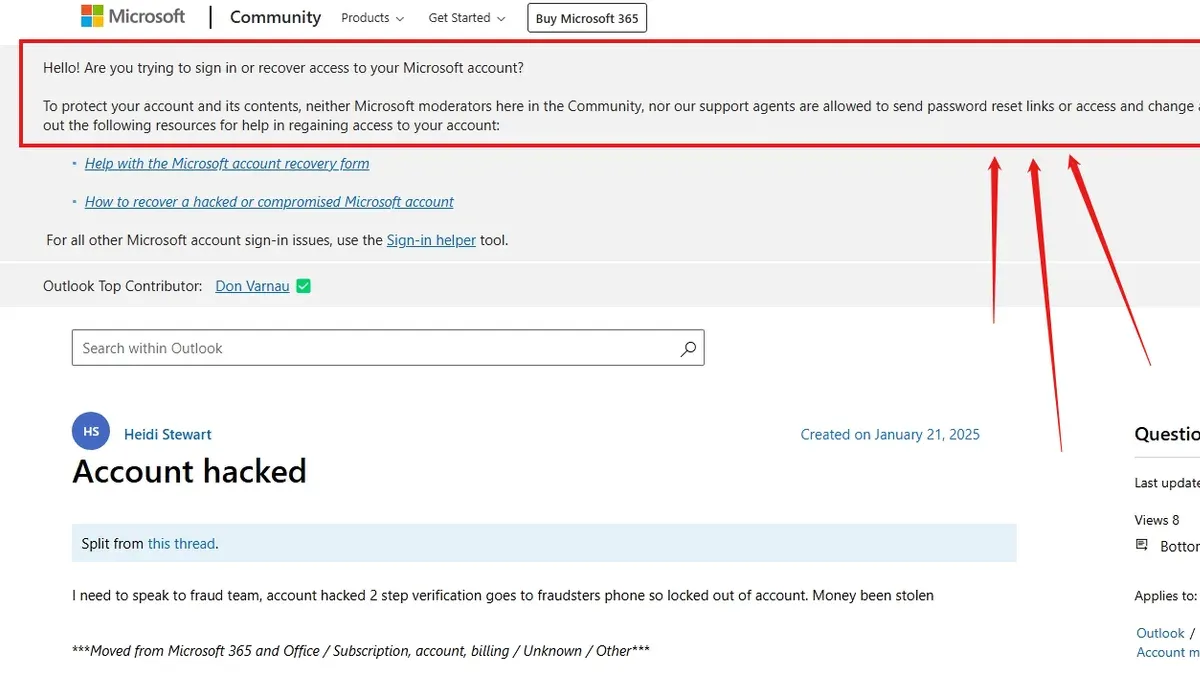
This article explains how to detect and recover from a Microsoft account account hacked situation with clear, actionable steps.
Immediate response involves securing the account by resetting the password using a trusted device, reviewing recent activity, and removing any suspicious connected apps or devices. This guide focuses on practical detection signals and recovery strategies that go beyond generic advice, helping users make informed decisions quickly.
How do I know if my Microsoft account has been hacked?
Microsoft sends security alerts via email or phone when it detects unusual sign-in activity, such as attempts from unfamiliar locations or devices. These alerts often come with details like the device type, IP address, and timestamp. For example, receiving a notification about a login from a city never visited or a device never used should trigger suspicion.
Another sign is unexpected password changes or login failures despite using the correct password, indicating that someone else may have altered account credentials. Additionally, missing or modified emails, calendar entries, or contacts can signal unauthorized access. Account lockouts without reason or being unable to log in while certain linked services like Xbox, Outlook, or OneDrive show suspicious activity are also red flags.
Common hacking indicators reported by users include unexpected verification code requests, new devices appearing under account devices, or unfamiliar app permissions. Checking the Microsoft account's Recent activity page at account.microsoft.com/security can help verify these events with exact date and location details.
Example: A user received a Microsoft alert about a sign-in from a foreign country at 3 AM, followed by an immediate password reset email they did not request. Shortly after, emails started disappearing from their inbox.
What to do if Microsoft account has been hacked?
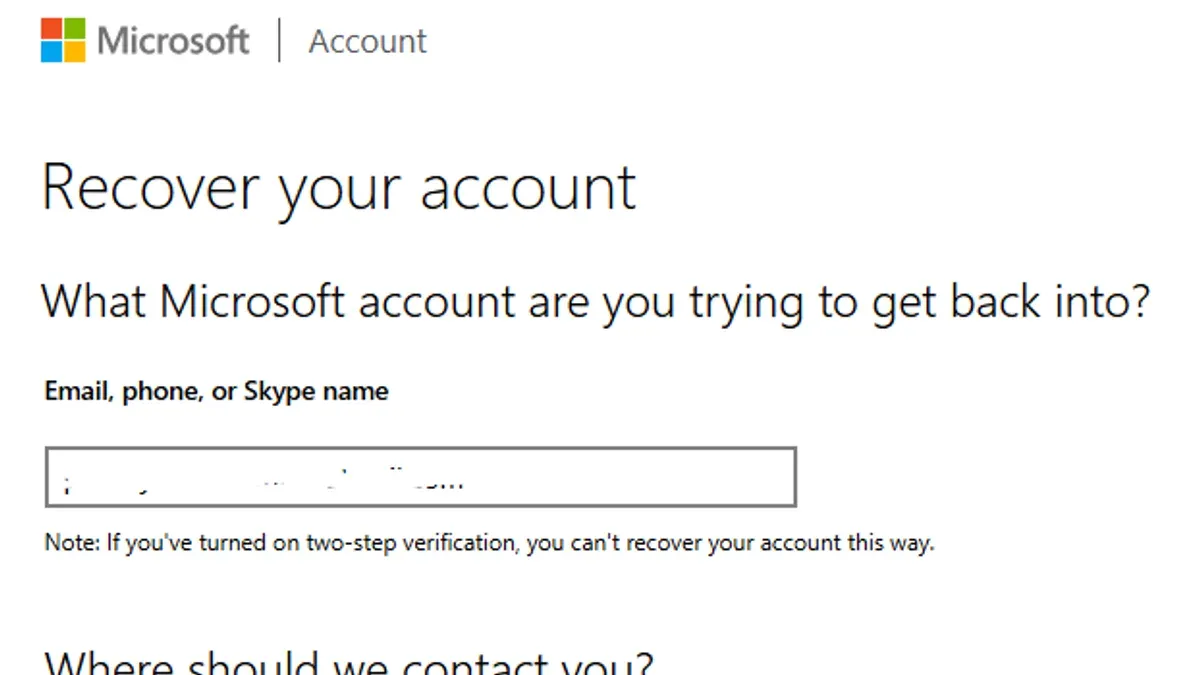
First, initiate Microsoft’s account recovery at account.live.com/acsr using a verified alternate email or phone number. This step is crucial to regain control quickly. Immediately change the account password to a strong, unique one via Security > Password security in the account settings. A complex password with letters, numbers, and symbols deters further unauthorized access.
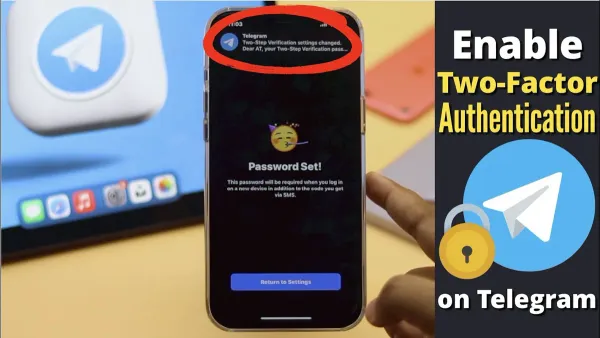
Next, enable two-factor authentication (2FA) under Security > Advanced security options if it isn’t active. Accounts with 2FA have a significantly higher recovery success rate because the attacker needs the second authentication factor. For example, someone who lost access but had 2FA set up was able to regain control by verifying a phone prompt, while another without 2FA faced prolonged recovery.
Review and revoke suspicious app permissions and connected devices through Security > Apps and services and Devices sections. Remove any unknown devices or apps to block ongoing access. Check recent account activity for unfamiliar sign-ins and update recovery details like alternate email and phone number to ensure future alerts and recovery options function properly.
If locked out or recovery fails, contact Microsoft Support directly at support.microsoft.com. Providing detailed account and security info expedites manual verification and restoration.
Step-by-step recovery checklist:
- Go to account.live.com/acsr and start recovery with verified contact info.
- Change password immediately in Security > Password security.
- Enable 2FA in Security > Advanced security options.
- Revoke suspicious app permissions and remove unknown devices.
- Review recent activity and update recovery email and phone.
- Contact Microsoft Support if locked out or recovery fails.
Tip: Always keep recovery options updated and enable 2FA before any breach occurs to streamline recovery.
Can my Microsoft account get hacked?
Microsoft accounts are frequent targets due to their integration with email, cloud storage, and productivity tools. Common attack methods include phishing, where users receive deceptive emails or messages prompting them to enter credentials on fake Microsoft sign-in pages. Credential stuffing exploits reused passwords from data breaches on other sites, allowing attackers to access accounts without needing to crack passwords manually.
Brute force attacks systematically try password combinations but are often mitigated by account lockout policies. However, weak or reused passwords remain a major vulnerability. Malware such as keyloggers installed on user devices can silently capture login details, bypassing many security barriers.
Attackers also use social engineering to manipulate users into revealing recovery information, like answers to security questions or access to secondary email accounts. Securing linked services and devices—such as Xbox consoles or Outlook mobile apps—is crucial since compromised devices can provide alternative attack paths or persistent access.
For example, a user might receive an urgent email appearing to be from Microsoft prompting them to verify their account via a link. The link leads to a realistic but fraudulent site that captures their password, granting attackers full control. Awareness of such tactics helps reduce the risk of falling victim.
What if my Microsoft account is hacked?
When a Microsoft account is hacked, the immediate consequence is often loss of access to essential services such as Outlook email, OneDrive files, and Office 365 subscriptions. For example, a user who relies on OneDrive for work documents may find critical files deleted or shared without consent, disrupting productivity. Beyond access loss, hackers can exploit the account for identity theft or unauthorized purchases through linked payment methods.
Personal and professional communications stored in Outlook or Teams become vulnerable, potentially exposing sensitive conversations. Linked accounts or saved credentials in browsers amplify risk, allowing attackers to infiltrate other services. A documented case involved a user whose compromised Microsoft account was used to reset passwords on social media, multiplying the impact.
To mitigate damage, immediately review recent activity via Microsoft’s Security & Privacy dashboard, revoke all suspicious app permissions under the "Apps and services" section, and update recovery information. Applying multi-factor authentication and regularly auditing connected devices reduces chances of repeated breaches.
Why would someone hack a Microsoft account?
Hackers target Microsoft accounts primarily to access personal data for identity theft or financial fraud. Personal documents, saved payment methods, and linked services provide valuable information for creating fake identities or unauthorized transactions. For example, gaining entry to a Microsoft account with stored credit card details can lead to unauthorized purchases on Microsoft Store or other linked platforms.
Monetary gain is a key motivation. Stolen account credentials can be sold on underground marketplaces or used directly for purchases. Compromised accounts may also serve as distribution points for malware or phishing campaigns, leveraging the victim’s trusted contacts to spread malicious links.
Corporate networks connected to Microsoft accounts increase the stakes. Hackers often aim at business accounts to infiltrate organizational systems, extract sensitive data, or disrupt operations. High-profile targets, such as executives or IT administrators, face risks of espionage or sabotage, where access to their accounts can provide a foothold for extensive cyberattacks.
Example: A hacker gaining control of a Microsoft account linked to an enterprise’s Azure Active Directory can escalate privileges, access confidential files, and compromise multiple users across the organization.
Why do people hack Microsoft accounts?
Microsoft accounts serve as gateways to a broad ecosystem including Outlook email, OneDrive cloud storage, Office 365 productivity apps, and Xbox services. Hackers target these accounts to maximize impact by exploiting access to multiple valuable resources simultaneously. For example, gaining entry to OneDrive can expose sensitive documents, while control over Outlook allows interception of password reset emails for other linked services.
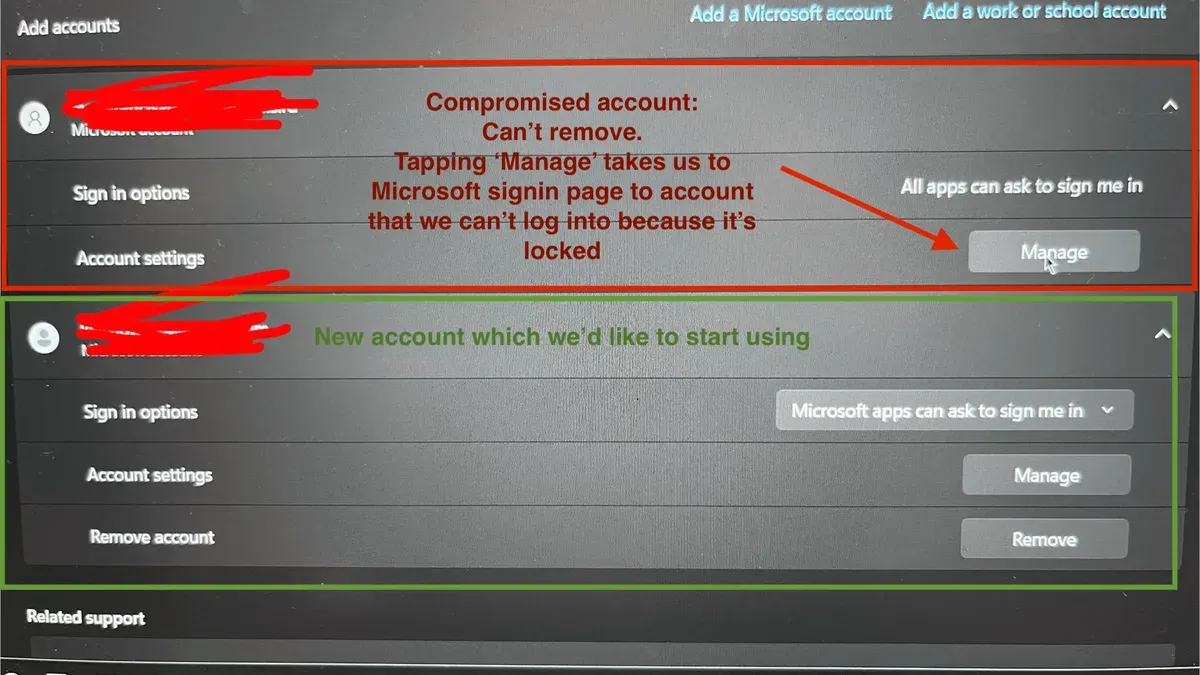
Attackers often use compromised Microsoft accounts to bypass security on connected platforms, such as LinkedIn or third-party apps integrated via Microsoft authentication. This lateral movement increases their reach beyond a single account. Personal data harvested from these accounts can be sold on dark web marketplaces or employed for blackmail, intensifying the threat.
Cybercriminals also leverage hacked Microsoft accounts to disrupt user services or launch broader cyberattacks. For instance, hijacking an Office 365 account can facilitate the spread of malware via trusted contacts. Security firms consistently report that Microsoft accounts are frequent targets due to their widespread use and the extensive data and services linked to them.
Example: A hacked Microsoft account was used to send phishing emails to the victim’s contacts, leveraging trust to infect others, demonstrating how attackers exploit both access and relationships within the Microsoft ecosystem.
Frequently asked questions
Someone has hacked my Microsoft account, what immediate steps should I take?
Immediately change the Microsoft account password via the security settings page. Check recent sign-in activity for unfamiliar locations or devices under "Security > Review recent activity." Enable two-step verification to block unauthorized access and update recovery information such as phone numbers and alternate emails to regain control if locked out.
Microsoft account hacked and can't access account, how to recover?
Use the Microsoft account recovery form at account.live.com/acsr, providing as much accurate information as possible. This may include previous passwords, security questions, and recovery email addresses. If successful, reset the password promptly and review all security settings to prevent further breaches.
My account has been hacked Microsoft, how can I secure it afterward?
After regaining access, change the password to a strong, unique one and enable two-step verification. Review and remove any suspicious devices or connected apps under "Security > Devices" and "Apps and services." Update recovery options and monitor account activity regularly for any anomalies going forward.
Microsoft account hacked and deleted, is recovery possible?
Microsoft allows a 60-day recovery period after account deletion. Use the account recovery form promptly to attempt restoration. If the window has passed, the account and its data may be permanently lost, requiring the creation of a new account.
What this advice does not cover and when to seek help
This article does not cover advanced forensic investigation or legal recourse for cybercrime victims. If the breach involves theft of significant financial assets, identity theft, or coordinated attacks affecting multiple accounts, professional cybersecurity assistance is necessary. Businesses or users managing sensitive data should consult specialized incident response teams to contain and analyze the breach.
The most effective immediate action after suspecting a Microsoft account hack is to change the password using the Microsoft account security page and enable two-step verification if not already active. This step prevents further unauthorized access and starts regaining control promptly.
See also: Line Account Hacked: How to Identify, Report, and Secure It · How to Recover and Protect a Hacked iCloud Account · How to Recover and Secure a Hacked Match.com Account