How to Handle and Prevent a Notion Account Hacked Situation
This guide explains how to handle and prevent a Notion account hacked situation to protect your workspace and sensitive data effectively.

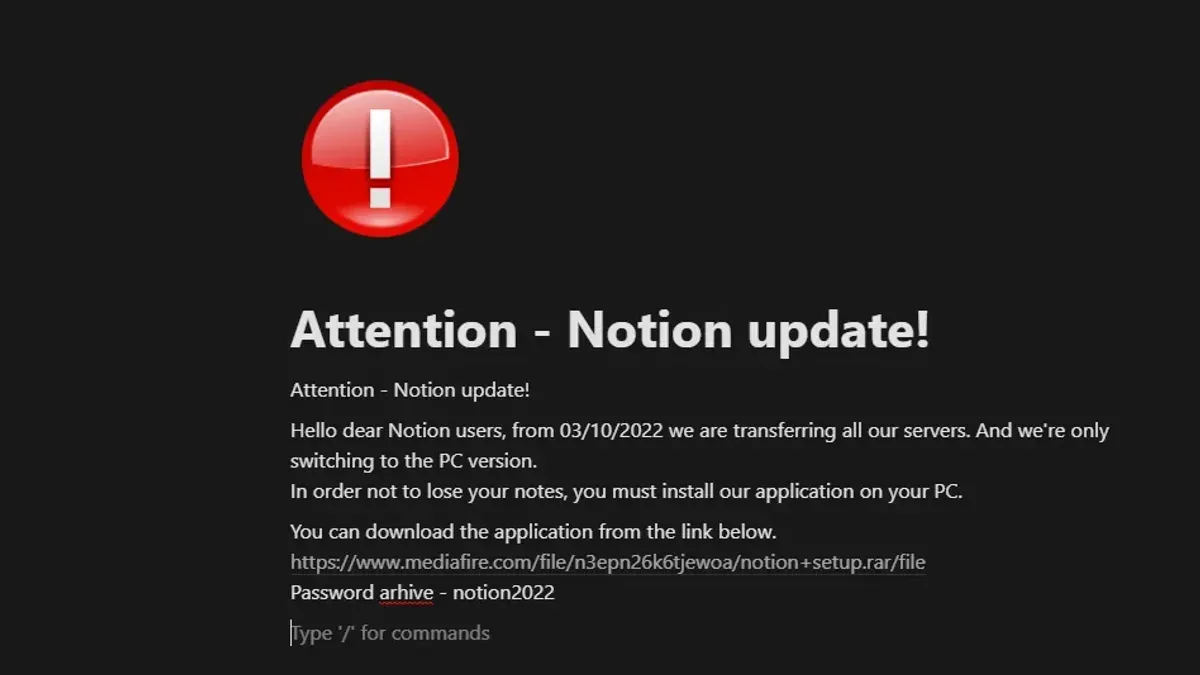
This guide explains how to handle a Notion account hacked situation and prevent unauthorized access effectively. Understanding what it means when a Notion account is compromised clarifies the risks and necessary steps to secure sensitive data stored in the platform. Notion users benefit from combining account setup best practices with security precautions tailored to the app’s architecture. The article covers secure account creation, login safety, recovery options, and permanent deletion, alongside tips for using the app securely and learning it efficiently. Addressing the search "Notion account hacked" directly, this guide offers clear, actionable advice for users concerned about protecting their workspace from intrusion.
What does account hacking mean and when is an account hacked?
Account hacking refers to unauthorized access to an online account by someone other than the legitimate user. In the context of services like Notion, this means an attacker gains control over the account, potentially viewing, modifying, or deleting sensitive information. Hacking can occur through stolen credentials, phishing attacks, or exploiting weak passwords.
Common signs that a Notion account has been hacked include unexpected changes to pages or databases, login alerts from unfamiliar devices or locations, and the sudden disappearance or alteration of data. Users may also receive notifications about password resets or account recovery requests they did not initiate. Detecting these signs early is crucial to prevent further unauthorized actions and data loss.
For example, imagine a user noticing that shared project notes are missing sections or that new collaborators have been added without permission. This scenario often indicates a breach. Productivity apps like Notion are targets because they contain valuable organizational and personal information.
Typical hacking methods targeting SaaS accounts include credential stuffing, where attackers use leaked passwords from other services, and phishing schemes designed to capture login details. Timely detection limits damage by enabling immediate password changes and account recovery steps, reducing the risk of data theft or misuse.
Is Notion data secure and what security measures does Notion use?
Notion employs industry-standard security protocols to protect user data both in transit and at rest. All data transmitted between devices and Notion’s servers is encrypted using TLS (Transport Layer Security), ensuring interception risks are minimized. On the server side, data is encrypted at rest with AES-256 encryption, a widely accepted standard for secure data storage. Notion’s infrastructure is hosted on cloud providers with robust security certifications, such as SOC 2 and ISO 27001, which align with common practices among leading productivity platforms like Evernote and Microsoft OneNote.
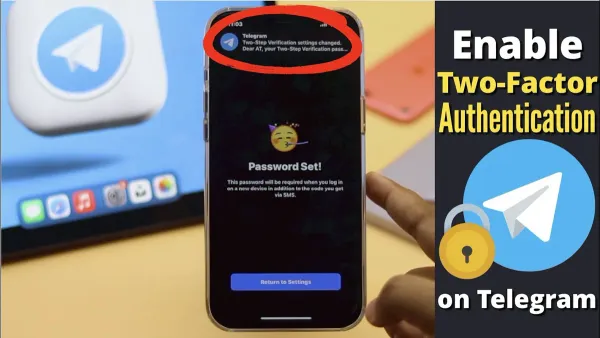
User authentication is a critical layer of security in Notion. Passwords must meet complexity requirements, and users can enable two-factor authentication (2FA) via the account settings under Security & Login. This adds an extra verification step during login, significantly reducing the risk of unauthorized access even if a password is compromised. However, Notion currently supports only app-based 2FA (e.g., Google Authenticator) and not SMS-based codes, which are less secure.
Despite these measures, Notion’s security model relies heavily on users maintaining strong, unique passwords and enabling 2FA. The platform does not offer end-to-end encryption, meaning that Notion’s servers can technically access unencrypted content. Users handling highly sensitive information should consider this limitation and may need additional encryption tools outside of Notion. For example, a team using Notion for project management should ensure that shared links and permissions are carefully managed to prevent accidental data exposure.
Tip: Regularly review the Connected Apps section in account settings to revoke access for any unfamiliar third-party services.
How to create a Notion account and set it up securely
Begin by visiting the official Notion website and clicking on "Sign up". Use a valid email address to register, or opt for Google or Apple sign-in for streamlined access. When creating a password, choose a strong, unique one that combines at least 12 characters including uppercase letters, lowercase letters, numbers, and symbols. Avoid common phrases or reused passwords from other accounts.
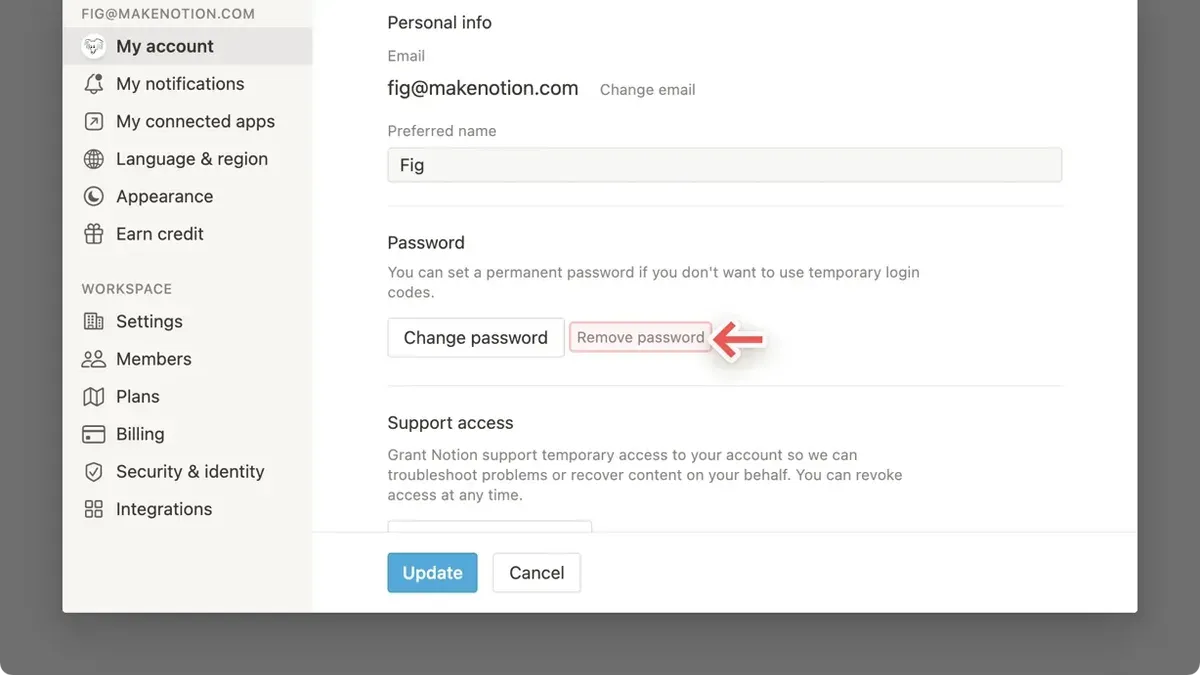
After account creation, immediately enable two-factor authentication (2FA) for an additional security layer. Navigate to Settings & Members > My Account > Two-Factor Authentication, then follow the prompts to link an authenticator app like Google Authenticator or Authy. This step significantly reduces the risk of unauthorized access, even if the password is compromised.
Next, review initial account settings under Settings & Members. Check the "Sessions" tab to monitor active logins and revoke any unfamiliar devices. Under "Security & Privacy," ensure email notifications for sign-ins and security alerts are activated. Limit third-party integrations to trusted applications only, as these can access Notion data.
Example: A user named Alex registers with [email protected], sets a password like "R3d!Pl@net2026", and enables 2FA with Authy. Alex then reviews active sessions and enables email alerts, creating a secure baseline for the account.
Tip: Use a reputable password manager to generate and store complex passwords securely.
How to log into a Notion account safely and recover access if locked out
Logging into a Notion account safely begins with avoiding insecure networks such as public Wi-Fi. Public networks increase the risk of interception by attackers. Instead, use a trusted private network or a VPN when accessing Notion. Be vigilant against phishing attempts that mimic Notion’s login page; confirm the URL is https://www.notion.so/login before entering credentials.
When suspicious login activity is detected, such as unfamiliar device notifications or unexpected password reset emails, immediate action is needed. Change the password from a secure device and review authorized devices in the Notion settings under Settings & Members > My devices. If two-factor authentication (2FA) is enabled, this helps prevent unauthorized access even if the password is compromised.
Account recovery on Notion involves using the “Forgot password?” link on the login page. Enter the registered email to receive a password reset link. With 2FA enabled, recovery is faster because verification is through a secondary device or app, minimizing the risk of delays. Without 2FA, additional identity verification steps may be required, extending recovery time.
For example, a user who lost access after a device theft successfully regained control by promptly using the password reset link and confirming the login via 2FA on their mobile authenticator app. This process took minutes. Comparatively, users without 2FA often wait longer for support and may need to prove ownership through email correspondence.
Tip: Always keep the email linked to the Notion account secure and up to date to ensure smooth recovery.
How to delete a Notion account permanently
Deleting a Notion account is irreversible and removes most personal data, including pages, content, and workspace details associated with the user. To begin, navigate to Settings & Members via the sidebar menu, then select the My Account tab. Scroll down to find the Delete Account option. Notion will ask for confirmation by requiring the account password and may send a verification code to the registered email to prevent accidental deletion.
Once confirmed, Notion deletes all personal content linked to the account, but some residual data, such as backups or logs, may remain temporarily due to system processes or legal compliance. Shared content or pages where the user was a collaborator might persist if other members retain access. Users should export any important data before deletion since recovery is impossible afterward.
Consider security implications before deleting. If the account was compromised, deleting it stops further unauthorized access but also removes the ability to investigate or recover data. For example, a user who lost access due to hacking might first contact Notion support to assess recovery options. Only delete the account if continuing use is not desired and data backup is complete.
Tip: Export all workspaces and data to a local device before starting deletion to avoid permanent loss of important information.
How to learn Notion fast with YouTube hacks and tips
Mastering Notion swiftly relies on targeted video tutorials and practical shortcuts. Channels like "Notion VIP" and "Keep Productive" offer comprehensive playlists that cover basics to advanced functions, including database relations, formula use, and template creation. For example, the video "Notion Basics: Organize Your Life" (https://www.youtube.com/watch?v=3X0qkT7o3XA) breaks down essential setup steps in under 20 minutes.
Key hacks include using linked databases to centralize project tasks and setting up filtered views to track deadlines efficiently. A common workflow hack is creating a master task board with multiple views for daily tasks, weekly goals, and completed items. This practice streamlines navigation and ensures no task is overlooked.
Beyond YouTube, communities on Reddit (r/Notion) and the Notion Made Simple forum provide real-time troubleshooting and creative setups shared by active users. Members frequently post templates and workflow diagrams to illustrate complex setups, which accelerate learning by example.
Tip: Bookmark tutorial playlists and replicate each step in a personal Notion workspace immediately to reinforce learning instead of passively watching.
How to download Notion and keep the app secure
Downloading Notion should always start with official sources to avoid the risks of malware and compromised software. For desktop users, the official Notion app is available at notion.so/desktop. Mobile users should download the app from the Apple App Store or Google Play Store. These platforms verify app authenticity and provide automatic updates.
Downloading from unofficial websites or third-party stores can expose devices to malicious code, which may steal credentials or introduce vulnerabilities. For example, a user downloading a cracked version from an unverified site might unknowingly install spyware that logs keystrokes, including Notion passwords.
Tip: Always check the app publisher name—"Notion Labs Inc."—on app stores to confirm legitimacy.
Keeping Notion updated is crucial for security. Updates often patch vulnerabilities and improve encryption methods. The desktop app typically updates automatically; if not, users can manually check for updates via the app menu under "Help" > "Check for Updates." Mobile apps update through their respective stores and can be set to update automatically in device settings.
Managing app permissions helps limit exposure. On mobile devices, review permissions in Settings > Apps > Notion to ensure only necessary access—such as storage or camera—is granted. On desktops, avoid granting unnecessary system permissions or running the app with elevated privileges unless required.
Frequently asked questions
How much does a notion account cost?
Notion offers several pricing plans including a free tier with basic features. Paid plans such as Personal Pro, Team, and Enterprise provide additional storage, collaboration tools, and advanced permissions. Pricing details are available on Notion's official website and vary depending on features and user count.
How to learn notion fast youtube hacks?
Learning Notion quickly on YouTube involves searching for tutorials that focus on shortcuts, template setups, and workflow automations. Channels often highlight keyboard shortcuts, database configurations, and integration tips to speed up usage. Following step-by-step video guides on setting up project management or note-taking templates can accelerate proficiency.
When an account is hacked?
An account is considered hacked when unauthorized access is gained by someone other than the legitimate user. Signs include unexpected password changes, unfamiliar login alerts, missing or altered data, and notifications of sign-ins from unknown devices or locations. Prompt action to secure the account is critical once hacking is suspected.
What is a hacked?
Hacking refers to unauthorized intrusion into a computer system or account. It involves bypassing security measures to access, steal, or manipulate data without permission. For online accounts like Notion, hacking compromises user privacy and control over stored information.
How to use notion reddit?
Reddit can be used to learn and discuss Notion by visiting communities such as r/Notion. Users share templates, troubleshooting tips, and productivity hacks there. Engaging in threads or searching past posts helps find practical advice and creative use cases.
What this advice does not cover and who should do something else
This guide does not cover advanced forensic recovery for highly targeted hacks or breaches involving third-party integrations. Users facing complex security incidents involving multiple connected apps or suspicious account activity beyond basic access issues should seek specialized cybersecurity assistance. Enterprise-level Notion account users should follow their organization's IT security policies and consult internal security teams to address risks specific to their environment.
The single most useful next step is to enable two-factor authentication (2FA) immediately after creating a Notion account. This simple action significantly reduces the risk of unauthorized access by requiring a second verification step beyond the password. Navigate to Settings & Members > My Account > Two-factor authentication to set this up. Regularly reviewing connected devices and active sessions under Security & Login can also help spot suspicious activity early.
See also: Microsoft Teams Account Hacked: How to Respond and Stay Secure · How to Handle a Lemon8 Account Hacked Situation and Related Questions · How to Recover and Protect a Hacked iCloud Account