Moving from Document Camera to Interactive Flat Panel: Your Expert Checklist
This checklist guides your smooth transition from document camera to interactive flat panel, enhancing classroom interaction and teaching effectiveness.

Short answer: Moving from document camera to interactive flat panel involves more than swapping hardware; it requires a strategic approach that addresses workflow shifts, user training, and infrastructure readiness. This moving from document camera to interactive flat panel checklist guides you through understanding the limitations of your current setup, evaluating how interactive flat panels transform classroom engagement, and planning a smooth transition that maximizes benefits.
This article covers the key considerations and steps in your upgrade journey. You will learn to assess your classroom’s technology environment, anticipate common challenges, and implement best practices to ensure the new interactive flat panel becomes a seamless part of daily instruction. By focusing on the mindset and workflow changes, not just the device, you can enhance teaching effectiveness and student interaction.
Understand the Limitations of Document Cameras
Document cameras typically offer a straightforward way to display physical documents or objects, but their capabilities often fall short for dynamic, interactive lessons. Most models provide basic zoom and focus adjustments but lack responsiveness and advanced annotation tools, limiting how you can engage students beyond simple demonstration.
Users frequently report frustrations such as grainy images under classroom lighting and slow refresh rates that disrupt lesson flow. Unlike interactive flat panels, document cameras do not support multi-touch input or seamless integration with multimedia content, which restricts collaborative and versatile teaching approaches.
For example, when trying to annotate a complex diagram live, you might find yourself toggling between the document camera feed and a separate device, interrupting the lesson rhythm. This gap becomes more evident as curricula increasingly incorporate digital content requiring direct manipulation, real-time feedback, and multimedia layering—tasks that document cameras are not designed to handle effectively.
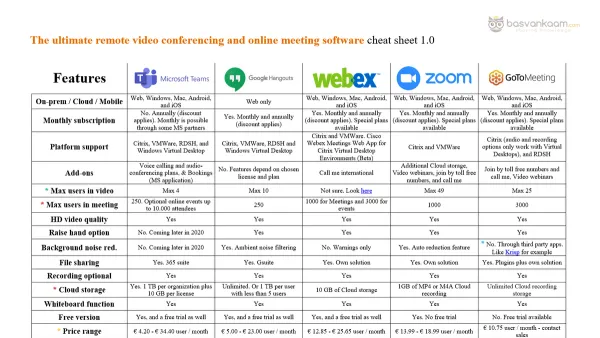
| Feature | Document Camera | Interactive Flat Panel |
|---|---|---|
| Image Quality | Basic HD; affected by lighting | High resolution with adaptive brightness |
| Interactivity | None or limited (e.g., remote control) | Multi-touch, gesture support |
| Annotation | External device required | Built-in, real-time |
| Content Integration | Static display only | Supports multimedia, apps, and internet |
Explore How Interactive Flat Panels Enhance Classroom Interaction
Interactive flat panels (IFPs) transform classroom dynamics by providing multi-touch screens that support simultaneous input from several users. Unlike document cameras, which merely project static images, IFPs invite collaboration through direct touch or stylus interaction, enabling students and teachers to manipulate content together in real time.
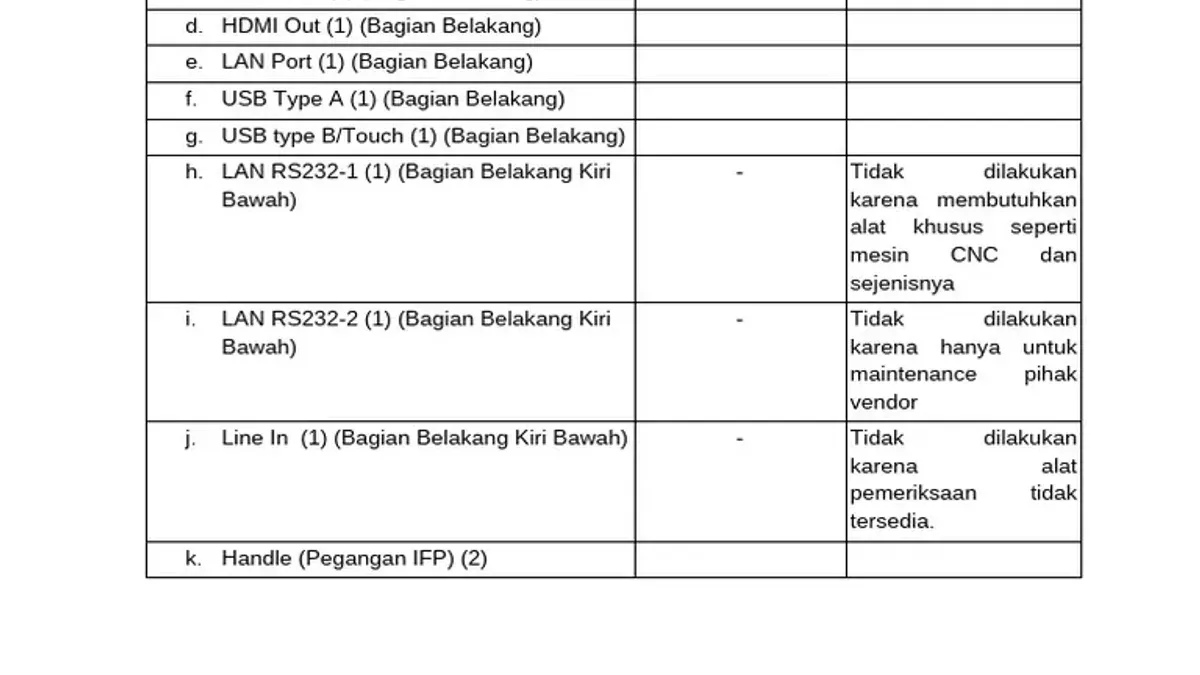
These panels integrate comprehensive software ecosystems, often preloaded with educational apps and compatible with popular platforms like Google Workspace and Microsoft Teams. Connectivity options include HDMI, USB-C, Wi-Fi, and Bluetooth, allowing seamless connection to various devices and cloud resources, eliminating the bottleneck of single-source display.
Image quality on IFPs is typically superior, with high-resolution LED displays that render crisp visuals, vibrant colors, and sharp text, enhancing readability. Annotation tools enable marking directly on lesson materials with options to save and share notes instantly. Multimedia playback supports video, audio, and interactive simulations, enriching lesson delivery.
For example, during a science lesson, a teacher can display an interactive ecosystem simulation on the panel, while multiple students use touch to adjust variables like rainfall and temperature, observing immediate effects. This collective engagement contrasts with the passive viewing experience of a document camera setup.
Assess Your Classroom Needs and Infrastructure
Before upgrading to an interactive flat panel, evaluate your classroom’s physical and technical environment to ensure compatibility and optimal use. Start by measuring the room size and examining wall space to find a location that accommodates the panel’s dimensions and viewing distance—typically 3 to 6 feet for a 65-inch screen. Check lighting conditions to avoid glare or washed-out images; a wall opposite large windows might require blinds or curtains.
Next, review your network capabilities and electrical outlets. Interactive flat panels demand stable Wi-Fi or wired connections for software updates and cloud integration. Confirm that power sources are nearby and can support the panel's energy needs without overloading circuits.
Assess teacher readiness by surveying familiarity with touchscreen technology and identifying training requirements. One middle school in Oregon scheduled hands-on workshops and peer-led sessions to boost confidence before installation, ensuring smooth adoption.
- Measure available wall space and viewing distance
- Evaluate classroom lighting and potential glare
- Verify network stability and bandwidth
- Confirm adequate and accessible power outlets
- Survey teacher comfort with new technology
- Plan targeted training sessions
Plan the Transition Workflow Step-by-Step
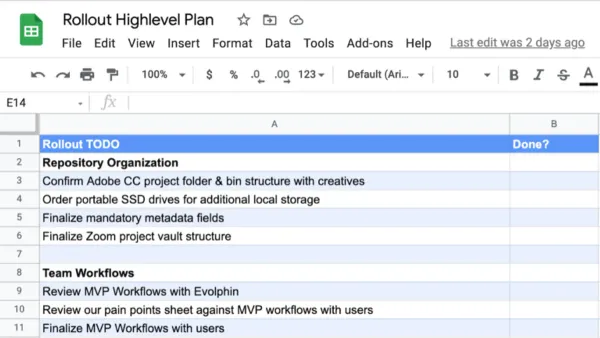
Begin by mapping your current document camera use cases—note how teachers utilize them for demonstrations, annotations, or sharing physical materials. Identify which interactive flat panel features will replace or enhance these functions, such as multi-touch annotation or media playback.

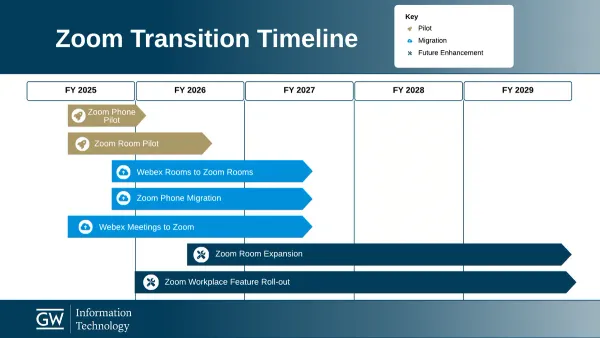
Next, launch a pilot program with a small group of tech-savvy teachers. For example, in one middle school, piloting interactive flat panels in two classrooms over six weeks showed increased student engagement during science labs, as teachers integrated real-time annotations and multimedia resources seamlessly.
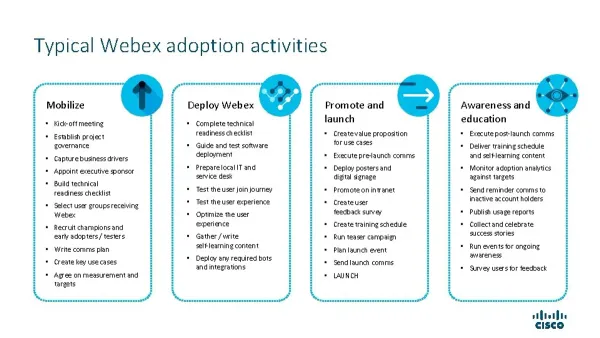
Schedule comprehensive training sessions focused on hands-on practice with the panels and software. Develop clear lesson adaptation guides that translate existing document camera activities into interactive flat panel workflows.
Finally, coordinate with IT to ensure hardware installation, network connectivity, and software licensing are completed before full deployment. Confirm device settings, such as enabling multi-user touch and calibrating the panel, to match classroom needs.
- Document current document camera usage scenarios
- Conduct pilot with select teachers and collect feedback
- Organize targeted training and create adaptation guides
- Coordinate IT setup: installation, licensing, configuration
Avoid Common Pitfalls During the Upgrade
One frequent stumbling block is underestimating the learning curve. Teachers and students need time and targeted training to fully leverage interactive flat panels. Without this, adoption stalls, reducing your return on investment. For example, a district once rushed deployment without proper training, leading to frustration and underuse; they corrected this by scheduling hands-on workshops and peer mentoring.
Network and compatibility issues are another common oversight. Interactive flat panels rely heavily on stable, high-speed connectivity and integration with existing educational software. Ignoring early testing of Wi-Fi bandwidth and software compatibility can cause frequent disruptions. Conduct thorough IT assessments early to identify and resolve these issues.
Maintenance plans and ongoing support are often neglected, yet crucial. Interactive flat panels require regular software updates, calibration, and hardware checks. Failing to plan for this results in downtime and degraded performance.
Lastly, avoid overinvesting in features that don’t align with your educational goals. For instance, some schools purchased panels with advanced 3D capabilities they never used, diverting funds from essential training and infrastructure upgrades.
- Provide comprehensive training for teachers and students before full rollout
- Test network capacity and software compatibility in advance
- Establish a clear maintenance and support schedule
- Align feature purchases strictly with pedagogical needs
Maximize the Benefits Post-Transition
To fully leverage interactive flat panels, actively embed their interactive tools into your lesson plans. Use software like SMART Notebook or Promethean ActivInspire to create dynamic, multimedia-rich lessons that invite student participation. For instance, incorporate drag-and-drop activities or real-time quizzes directly on the panel to keep students engaged.
Encourage collaborative learning by utilizing the multi-touch capabilities. Have small groups work simultaneously on problem-solving tasks or brainstorming sessions, which transforms the panel into a shared workspace. This hands-on interaction helps students develop teamwork and critical thinking skills.
Take advantage of built-in analytics features available in many interactive panel platforms to monitor student engagement and learning outcomes. Tracking responses and participation patterns enables you to tailor instruction and identify areas needing reinforcement.
Plan ongoing professional development that focuses on harnessing these tools effectively. Regular training sessions help sustain teacher confidence and proficiency, ensuring the technology enhances rather than complicates instruction.
Consider a middle school where teachers noticed a marked rise in student engagement after shifting to interactive flat panels. By integrating software tools into daily lessons and promoting group activities on the panels, teachers reported more active participation and improved understanding. This practical example illustrates how thoughtful use of these features transforms teaching beyond a simple hardware upgrade.
- Integrate interactive software into lesson plans.
- Use multi-touch features for collaborative student work.
- Leverage analytics to track engagement and adapt teaching.
- Schedule ongoing training for teachers to maintain skills.
Read next
- Moving from Document Camera to SMART Board: Your Expert Transition Checklist
- Moving from Document Camera to Promethean Board: Your Expert Checklist
- Switching from Document Camera to Classroom Projector: Your Expert Guide
Frequently asked questions
What are the key differences between document cameras and interactive flat panels?
Document cameras capture and project static or moving physical documents and objects, mainly serving as visual magnifiers. Interactive flat panels combine display, touch interactivity, and built-in software tools, enabling real-time collaboration, annotation, and multimedia integration. The shift is from a single-purpose device to an all-in-one interactive teaching hub.
How much training do teachers typically need to transition successfully?
Training usually ranges from a few hours to a couple of days, depending on prior tech experience. Focus should be on mastering touch gestures, annotation software, and integrating existing lesson plans with new interactive features. Hands-on sessions paired with follow-up support optimize confidence and adoption.
Can interactive flat panels work with existing classroom technology?
Yes, most interactive flat panels offer compatibility with common devices such as laptops, tablets, and document cameras through HDMI, USB, or wireless screen sharing protocols like Miracast or AirPlay. They often support standard classroom management software and integrate with popular learning management systems, preserving your current tech ecosystem.
What budget considerations should I keep in mind when upgrading?
Beyond the upfront cost of the panel, factor in expenses for mounting hardware, installation, warranty extensions, and teacher training programs. Consider ongoing costs like software licensing and potential upgrades. Evaluating total cost of ownership ensures the investment aligns with educational goals and infrastructure capabilities.
Quick checklist
- Review your current document camera capabilities and identify workflow bottlenecks.
- Map classroom infrastructure to ensure compatibility with interactive flat panels.
- Develop a detailed transition plan including device installation and staff training.
- Communicate with your team about changes in teaching methods and technology use.
- Schedule pilot sessions to troubleshoot technical or usability issues before full deployment.
- Monitor adoption closely and gather feedback to refine usage and support.
This guide does not cover specific branded interactive panel setups
This advice is designed for general transitions and does not address unique installation, software integration, or support requirements tied to particular interactive flat panel brands. If you are upgrading to a model with proprietary systems, consult the manufacturer’s setup documentation or technical support to address those specialized needs.
The most useful next step is to conduct a hands-on trial with an interactive flat panel in your classroom environment. This allows you to experience firsthand how the new technology fits your teaching style, infrastructure, and student engagement goals, helping you tailor the full transition plan effectively.