Create an Effective Book Creator Implementation Timeline
Discover how to develop a practical Book Creator implementation timeline to keep your digital book project organized and on schedule.

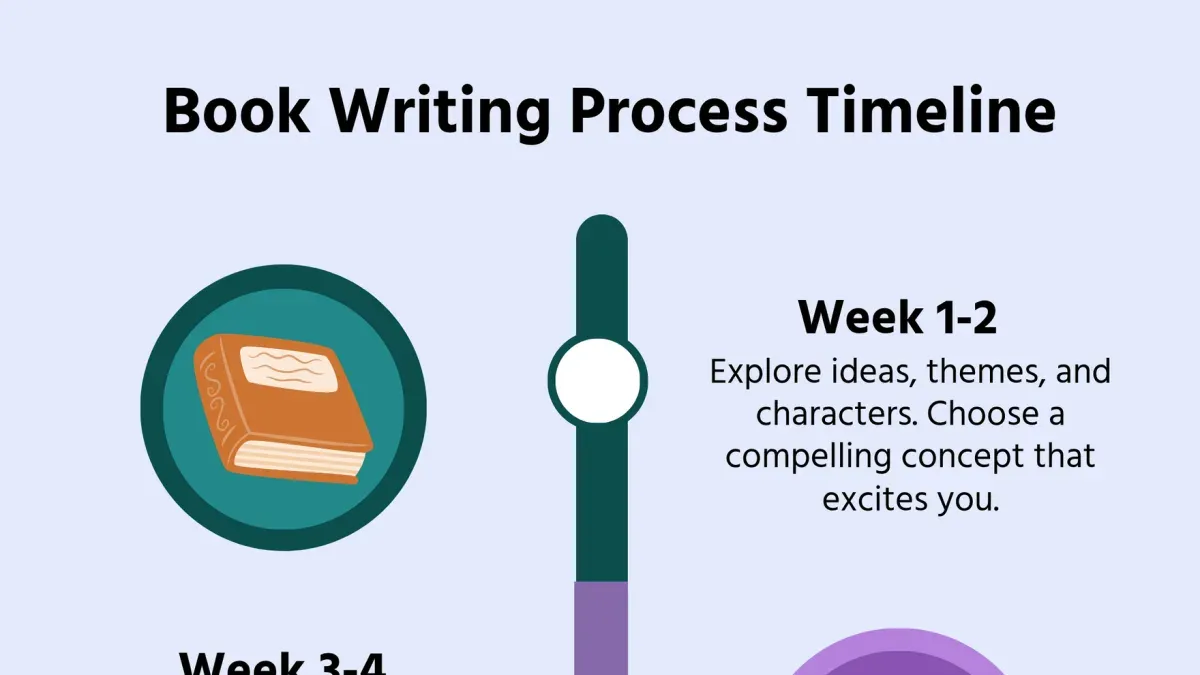
Short answer: A Book Creator implementation timeline outlines the specific steps and deadlines you need to follow to launch your digital book project smoothly using Book Creator. It keeps your project organized, ensures timely completion, and helps you engage your learners or audience effectively throughout the process.
This article covers how to develop a clear and practical Book Creator implementation timeline tailored to your project’s needs. You will learn how to map out each phase from planning to publishing, create a timeline book within Book Creator itself, and use the platform efficiently for timeline projects. Additionally, you’ll discover common pitfalls to avoid, ensuring your implementation stays on track and maximizes impact.
Understand what a Book Creator implementation timeline is and why it matters
An implementation timeline for Book Creator projects is a detailed schedule outlining each phase of the digital book creation process, from initial planning to final publication. This timeline defines clear deadlines and milestones, ensuring all contributors stay aligned and tasks progress smoothly. By structuring your project with a timeline, you avoid last-minute rushes, missed steps, and confusion over responsibilities.
For educators, writers, and students, a timeline serves as a roadmap that organizes content development, multimedia integration, and review periods. It coordinates collaboration by clarifying when each team member should complete their part, which is especially useful when multiple people contribute text, images, or audio. Content sequencing also benefits, as the timeline helps you plan the logical buildup of ideas and chapters.
Consider a middle school class using Book Creator to develop a history timeline book. The teacher sets weekly goals: research and draft in week one, multimedia insertion in week two, peer review in week three, and final edits in week four. This phased approach increased student engagement and ensured every student submitted their component on time, resulting in a polished, cohesive project.
How to create an implementation timeline for Book Creator projects
Start by identifying the key milestones in your project: planning, content creation, review, and publishing. For example, allocate one week for planning to outline goals and resources, two weeks for content creation to draft and design, one week for review allowing feedback and revisions, and a few days for final publishing tasks.
Estimate realistic durations based on your project's complexity and team size. For a simple classroom project, timeframes may be shorter, while a detailed professional book might require extended phases. Always add buffer time—around 15-20% extra—to accommodate unexpected delays like technical issues or additional edits.
Use free timeline creator tools such as Trello, which offers flexible boards and cards for task management; Canva, which provides visual timeline templates ideal for story projects; or Google Sheets for customizable, spreadsheet-based timelines. Trello excels in team collaboration but has a learning curve, Canva is visually appealing but less suited for detailed task tracking, and Google Sheets is highly customizable but manual.
Adapt your timeline depending on your user group: For kids, keep phases short and include frequent check-ins; writers may need longer content creation time; business contexts often require strict deadlines and stakeholder reviews.
For example, a typical timeline might look like this: Planning (1 week), Content Creation (2 weeks), Review (1 week), Publishing (3 days), plus 4 days buffer. This approach ensures each phase is clear, manageable, and allows flexibility.
- List project milestones clearly
- Estimate and assign realistic timeframes
- Include buffer time for revisions
- Choose a timeline tool matching your needs
- Customize the timeline for your audience and project type
How to make a timeline book within Book Creator
Start by opening Book Creator and creating a new book using the landscape or square format, which offers ample space for timeline layouts. The interface centers around a page canvas with a toolbar on the left containing tools for adding text, shapes, images, audio, and video.
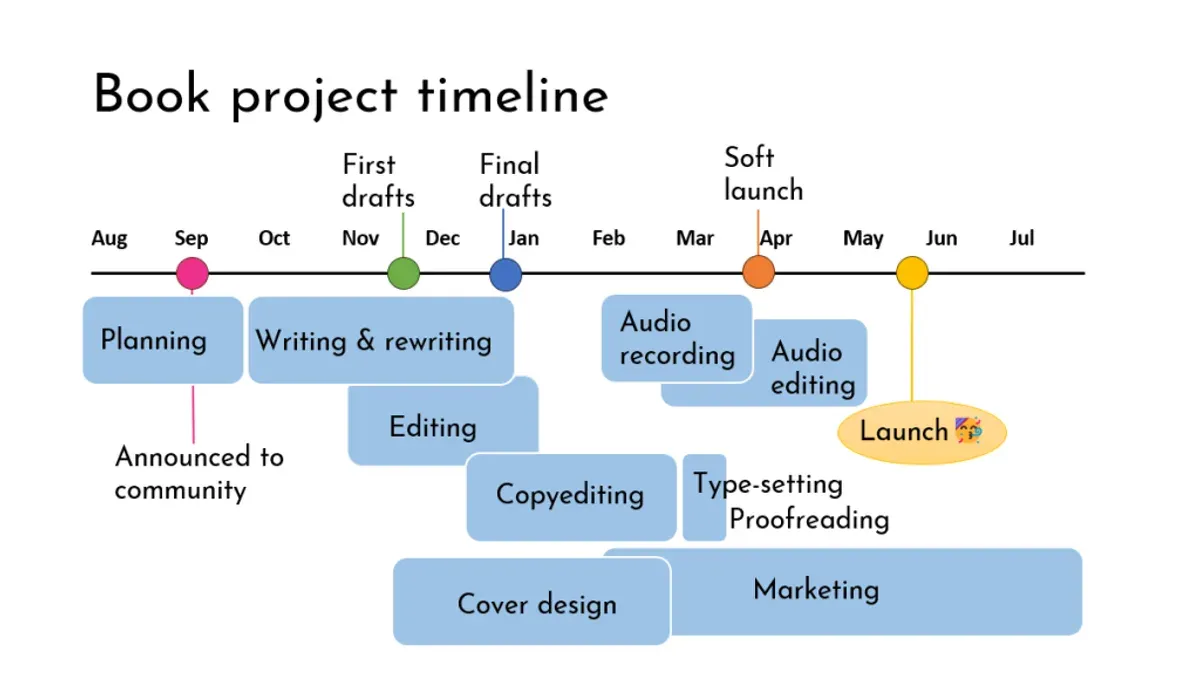
To build a timeline, organize each event on its own page or group related events on a single page using clear headings and date labels. Use the Text tool to add event descriptions with consistent fonts and sizes for clarity.
Enhance your timeline by inserting multimedia elements. For example, add images by selecting the Image icon, then upload photos or illustrations that represent the event. Include audio narrations or sound effects by clicking the Microphone icon to record directly or upload files, enriching engagement. Embed video clips using the Video tool to provide dynamic context.
For instance, a timeline page about a historical event might contain a dated title, a period photo, a brief text summary, and an audio narration explaining its significance. This combination supports multiple learning styles.
If you use external timeline creators like Tiki-Toki or Timeline JS, export your timeline as images or PDFs. Import these into Book Creator pages as backgrounds or supplementary visuals. This method integrates detailed timelines without rebuilding them from scratch.
A common step often missed is aligning multimedia consistently across pages to maintain a polished look. Use Book Creator’s grid and snap-to guides under the View menu to ensure elements line up precisely.
- Create a new landscape or square book for timeline space
- Add each event on separate pages or grouped logically
- Use Text, Image, Audio, and Video tools to enrich content
- Import external timeline outputs as images or PDFs when needed
- Use grid and snap-to guides to align multimedia elements neatly
How to use Book Creator effectively for timeline projects
Book Creator offers robust collaborative editing through its shared books feature, allowing multiple users to contribute in real time. You can invite collaborators via the “Share” button, granting edit or view-only access, which supports smooth teamwork in classroom or business settings. For version control, use the “Duplicate” function before major edits to preserve prior versions, complemented by the built-in comments and notes for peer review workflows.
Export options include PDF, EPUB, and video formats, making it easy to distribute timeline books across various platforms or print for physical use. Accessibility features such as read-aloud, closed captions, and adjustable fonts benefit diverse learners, enhancing comprehension and engagement. User feedback highlights these tools’ effectiveness in supporting students with learning differences.
Consider a middle school teacher managing a history timeline project: by sharing the book with students who each add events via text, images, and voice notes, the teacher can review progress through comments and duplicate the book before finalizing. Exporting as an EPUB then allows students to access the timeline on any device, while built-in accessibility options ensure all students can engage with the content.
- Use the “Share” menu to add collaborators with appropriate permissions
- Create backups with “Duplicate” before significant edits
- Leverage comments for asynchronous feedback and reviews
- Export projects as PDF, EPUB, or video based on distribution needs
- Enable accessibility features like read-aloud and captions for inclusive learning
- Adapt workflows for classroom or business collaboration scenarios
Avoid common mistakes when creating a Book Creator implementation timeline
One frequent pitfall is underestimating the time needed to create multimedia content. For example, recording narration or sourcing images often takes longer than expected, delaying subsequent tasks. Always allocate extra time for these creative steps.
Skipping buffer time and flexibility in your timeline can cause cascading delays. If an unexpected issue arises, a rigid schedule leaves no room for adjustments, increasing stress and jeopardizing deadlines.
Ignoring the skill levels and training needs of your team can slow progress. If users aren’t comfortable with Book Creator’s features like audio recording or embedding videos, plan dedicated training sessions to build confidence and efficiency.
Overloading your timeline with too many milestones fragments focus and complicates tracking. Prioritize key deliverables and group smaller tasks to maintain clarity and momentum.
Neglecting testing and feedback phases risks releasing incomplete or flawed materials. Incorporate scheduled reviews using Book Creator’s collaboration tools to identify issues early and refine your timeline book.
Consider this example: An educator planned a timeline project but left no buffer for multimedia editing. When audio clips required re-recording due to background noise, the entire schedule shifted, forcing rushed finalization. Allowing flexibility and training could have prevented this delay.
- Allocate extra time for multimedia creation tasks
- Build buffer periods for unexpected delays
- Assess and address user training needs early
- Limit milestones to essential checkpoints
- Include testing and feedback phases in the schedule
Read next
- Your Expert Checklist for Moving from Adobe Express to Book Creator
- Mastering Adobe Express Implementation Timeline: A Complete Guide
- Create a Clear Document Camera Implementation Timeline That Works
Frequently asked questions
timeline creator free for projects
Several free timeline creators are available online that suit project management needs. Tools like Canva and Sutori offer free plans with timeline templates you can customize for various projects. These platforms often include drag-and-drop interfaces and collaboration features ideal for managing deadlines and milestones.
timeline creator for stories
For storytelling, timeline creators help organize plot events chronologically to maintain narrative flow. Tools such as Storyboard That and Time.Graphics provide specific templates for story timelines, allowing you to map character development and key plot points visually. This aids in tracking story arcs and pacing effectively.
timeline creator for writers
Writers benefit from timeline creators by structuring writing projects and tracking progress on chapters or research phases. Applications like Aeon Timeline integrate with writing software to align timelines with manuscript elements. Using such a tool helps maintain consistency and manage deadlines efficiently.
timeline creator for kids
Timeline creators designed for kids focus on simplicity and engagement, often using colorful visuals and intuitive controls. Tools like Tiki-Toki and TimeToast offer kid-friendly interfaces with drag-and-drop features suitable for classroom projects. These platforms encourage learning sequencing and historical events interactively.
Quick checklist
- Define your project scope and key milestones clearly before starting your timeline.
- Use Book Creator’s built-in templates and multimedia features to make timelines engaging.
- Set realistic deadlines for each phase, allowing buffer time for revisions.
- Regularly update your timeline book as the project progresses to keep stakeholders informed.
- Review and test your timeline presentation on multiple devices to ensure accessibility.
- Avoid overloading your timeline with too many details; focus on clarity and key events.
- Backup your Book Creator projects consistently to prevent data loss.
What this advice does not cover
This guide focuses on timeline creation using Book Creator and compatible free tools; it does not cover advanced project management software or custom coding solutions. If your implementation requires complex task dependencies, resource allocation, or integrations beyond Book Creator’s scope, consider dedicated project management platforms or consulting a specialist.
For your next step, open Book Creator and start by mapping out your project goals and key dates in a simple draft timeline. This foundational step anchors the entire implementation, ensuring your final timeline book is both practical and impactful.