Promethean Board Rollout Plan for After-School Programs: A Practical Guide
Learn a practical Promethean board rollout plan for after-school programs that enhances engagement and fits diverse extracurricular settings.


Short answer: A Promethean board rollout plan for after-school programs requires a tailored approach that accounts for the unique scheduling, space, and resource constraints of extracurricular settings. Success hinges on aligning technology use with program goals, ensuring staff are trained for flexible usage, and integrating the boards into diverse activities beyond standard classroom lessons.
This article guides you through each essential step, from understanding the specific advantages of Promethean boards in after-school contexts to assessing your program’s needs, crafting a customized implementation strategy, training staff effectively, and continuously evaluating usage for improvement. You’ll also learn how to avoid common pitfalls that arise when adapting classroom-focused technology for after-hours educational environments, ensuring your rollout supports engagement and learning without overwhelming limited resources.
Understand What a Promethean Board Brings to After-School Programs
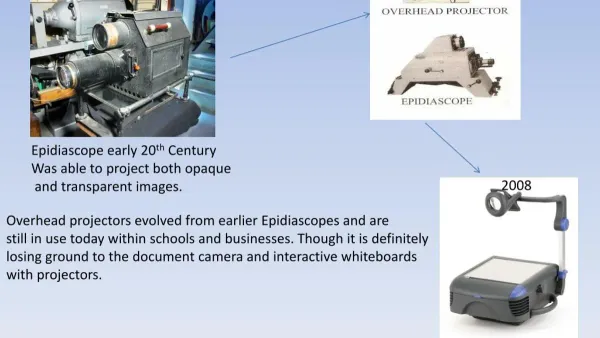
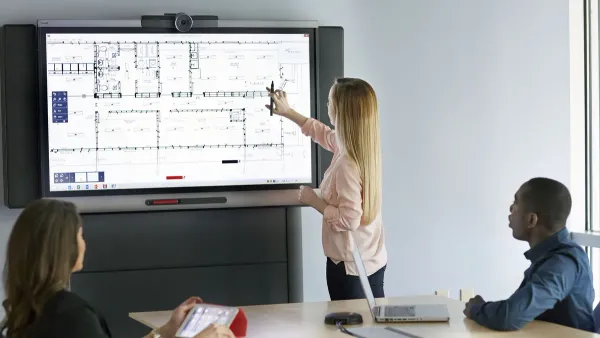
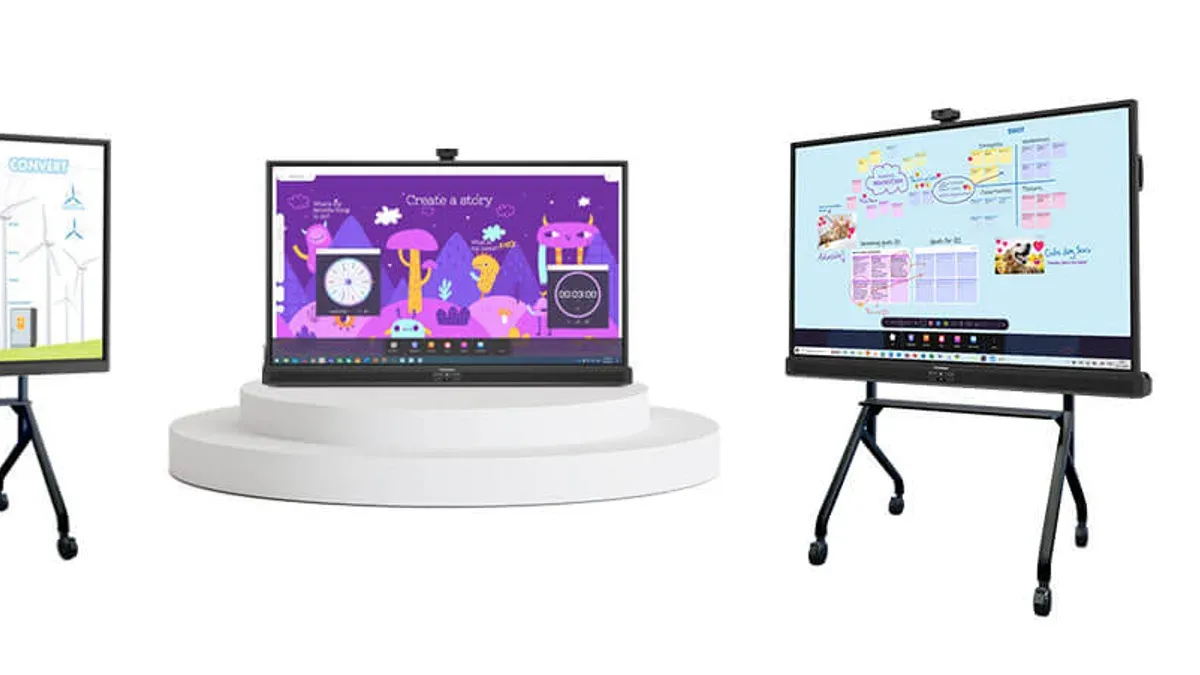
A Promethean board is an interactive whiteboard that combines a large touchscreen display with software designed for dynamic, hands-on learning. It allows students to engage directly with digital content by touching, drawing, and manipulating elements on the screen, which makes lessons more immersive beyond traditional whiteboards or projectors.
In after-school settings, where learning is often less formal and more exploratory, the Promethean board fosters collaboration and active participation. Its multi-touch capability lets multiple students interact simultaneously, encouraging group problem-solving and creativity. For example, during a coding club session, students can drag code blocks together on the board, making abstract concepts tangible and boosting engagement.
Programs that have integrated Promethean boards report noticeable increases in student involvement, with facilitators observing more frequent hands-on participation and enthusiasm. This technology adapts well to diverse activities from art workshops to STEM projects, enhancing the informal, flexible nature of after-school learning.
Assess Your After-School Program’s Needs and Constraints
After-school programs vary widely in space, schedule, and staffing, all of which influence how you deploy Promethean boards. For example, a community center running a daily two-hour STEM club with limited staff will have different needs than a school-based arts program meeting three times weekly. Start by mapping your available physical space—are you using a dedicated room or shared multipurpose areas? Limited space may require smaller, more portable boards or wall-mounted units to optimize room layout.
Next, consider your schedule and staffing. Short sessions demand quick setup and intuitive interfaces to maximize teaching time, while fewer staff members mean training and support must be streamlined. Also, identify your student age groups and activity types. Younger children benefit from simple touch interactions and colorful visuals, while older students might need advanced features like split-screen multitasking or digital ink.
Lastly, evaluate your existing technology infrastructure. Check Wi-Fi reliability, power accessibility, and whether your support team can troubleshoot hardware and software issues promptly. For instance, a program in a facility with spotty Wi-Fi may require offline-compatible apps or additional networking upgrades before rollout.
- Inventory physical spaces and their constraints
- Analyze session lengths and staff availability
- Match board features to student ages and activities
- Assess current tech infrastructure and support capacity
Develop a Customized Rollout Strategy for Smooth Adoption
Start by setting clear goals that directly support your after-school program’s objectives, such as increasing student collaboration or enhancing STEM activities. Align these goals with measurable outcomes to track progress effectively. Next, plan a phased rollout to avoid overwhelming staff and students. For example, begin by installing Promethean boards in one or two rooms over the first month, followed by staggered training sessions tailored to different staff groups, allowing time for hands-on practice.
Engage your team early by involving them in planning meetings and feedback sessions. This encourages buy-in and surfaces practical concerns before implementation. Similarly, introduce students gradually through pilot activities, which helps build enthusiasm and identify any technical adjustments needed.
Consider a timeline where Week 1-2 focus on installation in key spaces; Week 3 includes initial staff training with small groups; Week 4 rolls out student introduction activities; and Week 5 gathers feedback for iterative improvements. Allocate resources such as dedicated technical support during installation and flexible training schedules to accommodate after-school staff availability.
- Define goals aligned with program priorities
- Schedule phased installations and training
- Involve staff and students early
- Set a clear timeline with milestones
- Allocate support resources appropriately
Train Your Team and Foster Enthusiastic Usage
Building confidence among after-school staff and volunteers requires training tailored to their varying technical skill levels. Begin with hands-on workshops that allow users to explore core Promethean board functions like ActivInspire’s lesson creation tools or the interactive whiteboard features, adjusting complexity to match skill sets.
Ongoing support is essential; establish regular drop-in sessions where staff can troubleshoot and share experiences. Encourage peer sharing by setting up monthly meetups where team members demonstrate creative uses, such as using the board for interactive STEM challenges or collaborative storytelling activities.
For example, in a community center, volunteers with limited tech experience gained confidence after participating in a step-by-step workshop followed by weekly support hours. Subsequent surveys indicated a clear rise in staff comfort and frequency of board use, leading to richer student engagement during after-school hours.
- Assess staff skill levels to tailor training content
- Conduct hands-on workshops focusing on practical application
- Set up ongoing support sessions for troubleshooting and advice
- Facilitate peer sharing to spread best practices and creative ideas
Integrate Promethean Boards into After-School Activities Effectively
Choose activities that benefit from the board’s interactive features such as touch response, annotation, and multimedia playback. For example, use brainstorming sessions where students drag and drop ideas on the board or create mind maps collaboratively.
Adapt your lesson plans by incorporating the board’s digital tools. Modify project-based learning tasks to include interactive quizzes or digital storytelling where students use the board's software to design presentations or comic strips.
Engage students by involving them in content creation. Assign group projects where students build interactive quizzes or annotate texts directly on the board, fostering collaboration and creativity.
Consider the experience of a community center after-school program that integrated Promethean boards into their art and writing club. Students used the board to co-create digital murals, combining drawing apps with interactive storytelling elements. This approach boosted participation and encouraged peer-to-peer learning, highlighting increased creativity compared to previous non-digital projects.
- Select interactive activities that maximize board features
- Revise lesson plans to include digital tools and multimedia
- Encourage student-led content creation and collaboration
- Use real projects, like digital murals or quizzes, to boost engagement
Monitor, Evaluate, and Iterate Your Rollout for Continuous Improvement
Tracking the success of your Promethean board rollout requires defining clear key performance indicators (KPIs) aligned with your after-school program goals. Examples include student engagement levels during sessions, frequency of board use, and staff confidence ratings collected via surveys.
Gather both quantitative data—such as the number of interactive lessons delivered weekly—and qualitative feedback from students and staff on usability and educational impact. For instance, a feedback summary might reveal that while students enjoy collaborative activities, staff need more guidance on advanced features.
Use a metrics dashboard that displays usage rates, engagement scores, and training completion percentages to visualize progress. If data shows low usage on certain days or by specific staff, adjust training sessions or provide targeted support. For example, if a coordinator notices a dip in board use during art club meetings, they might introduce a tailored tutorial on using drawing tools.
Iterate your rollout plan regularly based on these insights by updating training materials, refining usage guidelines, and enhancing technical support. This data-driven cycle ensures the Promethean boards deliver maximum impact in your unique after-school setting.
- Define KPIs relevant to your after-school goals
- Collect both qualitative and quantitative feedback
- Use a metrics dashboard to track progress
- Adjust training and support based on findings
- Repeat evaluation cycles to improve continuously
Avoid Common Pitfalls Unique to After-School Settings
One frequent mistake is overlooking the variability in after-school staffing, where part-time or volunteer personnel may have limited availability for training. In one case, a program scheduled a single comprehensive training session that many evening staff missed, resulting in underutilization of the Promethean board during those shifts.
Another common issue is underestimating maintenance and technical support needs outside regular school hours. Unlike daytime classes, after-school programs often lack immediate access to IT staff, leading to delays in resolving technical problems and frustrating users.
Finally, failing to align technology use with the informal and flexible structure of after-school activities can reduce engagement. For example, trying to impose rigid lesson plans on a program designed for open exploration can alienate both staff and students.
Successful rollouts anticipate these challenges by scheduling multiple, accessible training sessions, arranging reliable out-of-hours tech support, and adapting Promethean board use to fit the program’s fluid environment.
- Plan training around varied staff schedules, including part-time and volunteers
- Ensure technical support is available during after-hours
- Customize technology use to match informal program structures
Read next
- Promethean Board Implementation Timeline: A Step-by-Step Guide
- Quizlet Rollout Plan Tailored for Special Education Teachers
- Quizizz Rollout Plan for School Librarians: A Practical Guide
Frequently asked questions
How can I assess if a Promethean board is the right fit for my after-school program?
Evaluate your program’s goals, space, and technology comfort level among staff and participants. Consider if interactive lessons or collaborative activities are central, as Promethean boards excel in these areas. Also, check the available budget for hardware and ongoing maintenance to ensure sustainability.
What training approaches work best for part-time or volunteer staff?
Use short, focused training sessions supplemented by accessible online tutorials and quick reference guides. Scheduling flexible, recorded sessions allows staff to learn on their own time. Peer mentoring and hands-on practice during program hours reinforce confidence and skill retention.
How do I handle technical support when staff are not on-site full-time?
Establish a clear troubleshooting guide and quick-start manual tailored to common issues. Set up remote support options, such as screen-sharing tools or a dedicated help line, so problems can be addressed promptly without requiring in-person assistance. Designate a tech-savvy staff member or volunteer as the go-to contact for first-level support.
What are some creative after-school activities that use Promethean boards effectively?
Interactive quizzes and collaborative brainstorming sessions enhance engagement and teamwork. Use the board for digital storytelling, allowing students to create and share multimedia presentations. Incorporate coding or problem-solving games that leverage the touchscreen and software features for hands-on learning.
What this guide does not cover
This guide does not cover detailed hardware troubleshooting or warranty issues, which require direct vendor support. For technical problems with Promethean boards, contact Promethean’s customer service or your vendor’s technical team. Additionally, this advice assumes you have basic network infrastructure in place; if your facility needs major IT upgrades, consider consulting an IT professional before rollout.
Quick checklist
- Identify specific after-school program goals that Promethean boards will support
- Evaluate space, power, and connectivity constraints unique to your setting
- Create a phased rollout plan tailored to your program schedule and staff availability
- Schedule hands-on training sessions emphasizing interactive features and troubleshooting basics
- Design activities that integrate the board naturally, enhancing engagement without overcomplicating setup
- Establish regular monitoring procedures to gather user feedback and track usage patterns
- Be aware of common pitfalls such as insufficient training time and neglecting after-hours technical support
The most effective next step is to assemble your rollout team and schedule a kickoff meeting focusing on aligning Promethean board capabilities with your program’s specific needs. This ensures every stakeholder understands the plan and their role, setting the stage for a smooth and impactful implementation.