How to Recover and Protect a Riot Games Account After a Hack
This guide explains how to recover and protect a Riot Games account after a hack with clear, actionable steps tailored to the Riot ecosystem.

This article explains how to recover and protect a Riot Games account after a hack with clear, actionable steps tailored to the Riot ecosystem. When a Riot Games account hacked incident occurs, immediate and precise action is necessary to regain control and secure the account from further unauthorized access. Riot account security involves managing login credentials, linked email, and two-factor authentication settings through the Riot Games website and client. Understanding the account lifecycle—from creation to potential deletion—helps in preventing and responding effectively to hacking attempts. This guide covers safe account setup, recovery protocols, and ongoing security management to reduce risks and protect player data and progress.
What is a Riot Games account and why does its security matter?
A Riot Games account serves as a unified login credential for all of Riot's games and services, including popular titles like League of Legends, Valorant, and Teamfight Tactics. This single account manages game progress, in-game purchases, friend lists, and personal settings across multiple platforms. Because it controls access to valuable digital assets and sensitive personal information, securing the account is critical to protect a player's investment and identity.
Account breaches can lead to significant losses. For example, a hacked account might be stripped of rare skins, in-game currency, or exclusive content purchased over months or years. Beyond virtual goods, personal data stored in the account profile could be exposed or misused. Reports have indicated a steady number of hacking incidents targeting Riot accounts, often resulting from compromised passwords or phishing attacks.
Consider a player who spent hundreds of hours earning ranked rewards and purchasing skins; a successful hack could erase all progress and purchases, forcing the player to start from scratch or risk losing access permanently. Therefore, understanding the Riot Games account's scope and prioritizing its security is essential for every player.
How to create a Riot Games account safely
Begin account creation by visiting riotgames.com and selecting the signup option at the top right. Enter a valid email address, a unique username, and a strong password. A strong password typically contains at least 12 characters combining uppercase, lowercase, numbers, and symbols. Avoid common phrases or predictable sequences like "1234" or "password". For example, a password such as "G7!fR9x#bV2q" scores high on strength metrics and resists brute-force attacks.
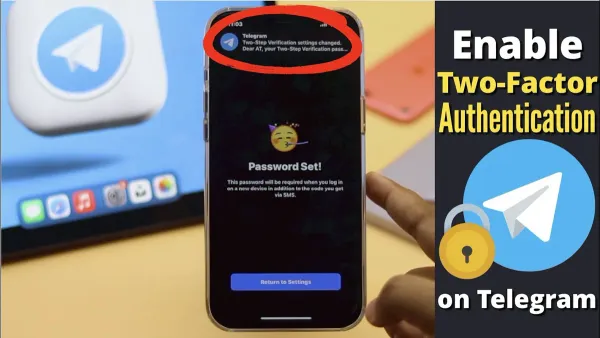
After initial registration, enable two-factor authentication (2FA) through the account settings menu under "Security". Riot supports authentication apps such as Google Authenticator or Authy, which generate time-sensitive codes. This step significantly reduces unauthorized access even if the password is compromised.
Common pitfalls include using the same password across multiple platforms, neglecting the email verification step, and skipping 2FA setup. Also, beware of phishing sites mimicking Riot’s official domain; always confirm the URL starts with "https://" and is spelled correctly.
Tip: Use a reputable password manager to generate and store complex passwords securely, reducing the risk of reuse or forgetfulness.
Can you delete a Riot Games account and how to do it?
Riot Games allows account deletion, but it is a permanent action that cannot be reversed once completed. Users must be certain before proceeding because deleted accounts lose all access to games, progress, purchases, and linked services. Riot's policy states that once the deletion request is processed, the account and most personal data are removed from active servers, though some information may be retained to comply with legal obligations.

To delete a Riot Games account, the user must submit a request through the Riot Support website. This involves logging into the support portal, selecting the "Account Management" category, and choosing "Delete Account". Riot requires identity verification to confirm ownership, which can include submitting a ticket with proof such as the original email address or purchase details. After verification, the deletion request enters a processing phase that typically takes several days.
For example, a player who wishes to delete their account must first log into https://support.riotgames.com, navigate to "Submit a Ticket," select "Account Management," and then "Delete Account." After submitting the request, Riot may place the account in a pending deletion status for a short period before final removal. During this time, the account remains accessible in case the user changes their mind. Once deletion is complete, all linked game data, including progress and in-game purchases, become inaccessible.
How to recover a hacked Riot Games account
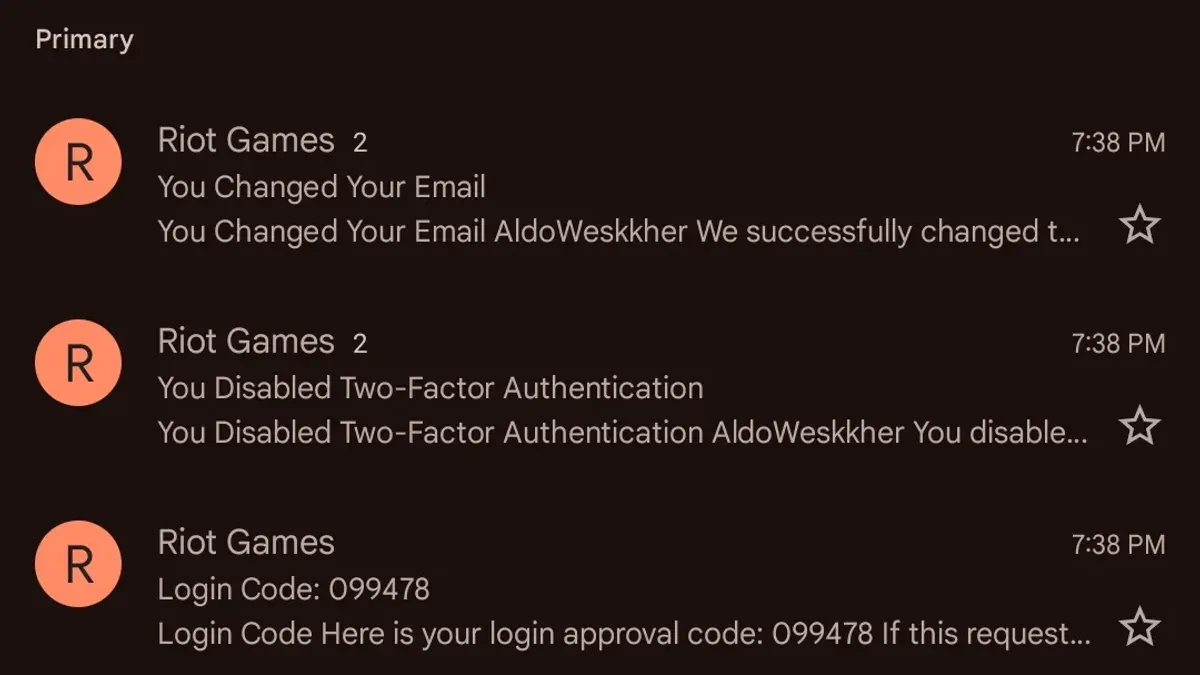
Signs of a hacked Riot Games account include unexpected changes in account details, unauthorized game activity, or receiving emails about password resets not initiated by the user. Immediate action involves attempting a password reset via the Riot login page. If the password reset fails or email access is compromised, contacting Riot Support is the next step.
To contact Riot Support effectively, submit a request through the official Riot Support portal under the “Account Recovery” category. Provide accurate details such as the original email address linked to the account, usernames, last known password, and any purchase receipts. Response times vary but typically arrive within a few days.
Riot verifies identity using information like account creation date, usernames in linked games, recent match history, and payment details. Preparing this data before submission accelerates recovery. After verification, Riot guides the user through resetting the password, securing the linked email account, and enabling two-factor authentication to prevent further breaches.
For example, a player noticing unauthorized match outcomes and login alerts submitted a support ticket with transaction IDs from past purchases. Riot Support confirmed ownership within three days, enabling the player to reset credentials and secure their account without data loss.
How to update and manage your Riot Games account to prevent hacks
Regularly reviewing account activity is essential. Access the Riot Games account portal and check the Login History section to spot unfamiliar devices or locations. Suspicious activity should prompt immediate password changes and a support ticket if needed. Updating linked email addresses and recovery options in Personal Info ensures control remains with the owner.
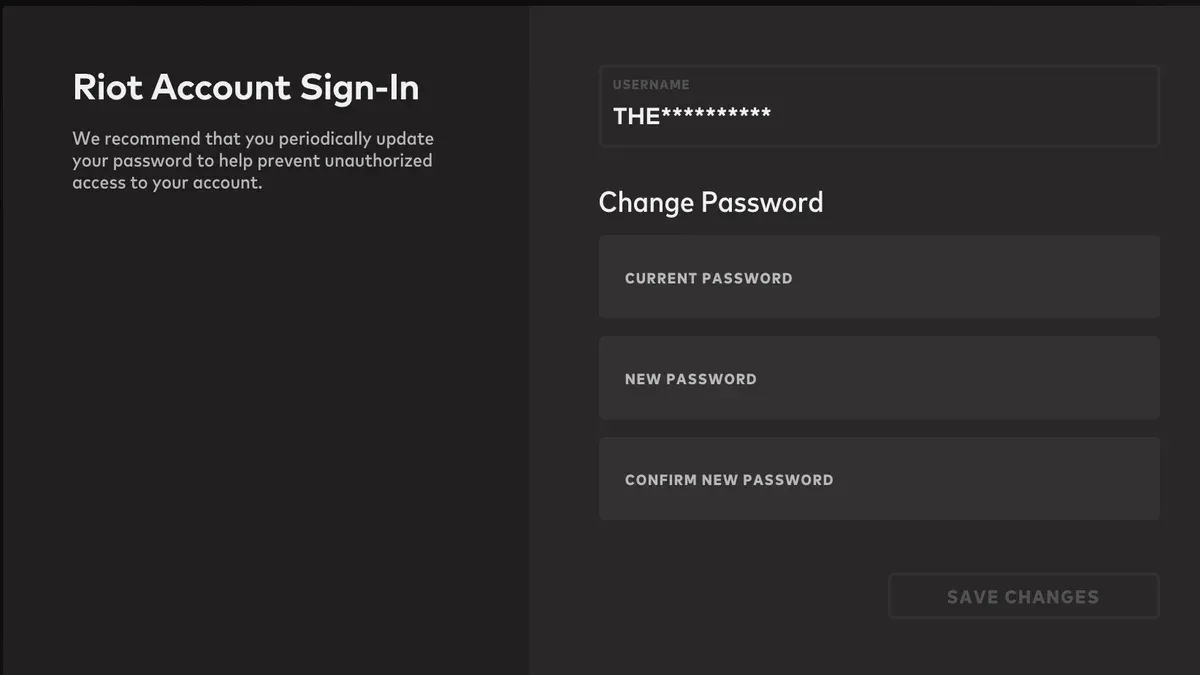
Use the Riot account management interface to change passwords securely under Security Settings. Password updates should occur at least every few months and avoid reuse across platforms. Enabling two-factor authentication (2FA) significantly reduces hacking risk; accounts without 2FA face far higher compromise rates due to stolen credentials alone.
Phishing remains a top threat. Scam emails or messages often mimic Riot’s style, asking to click suspicious links or provide login details. For example, a player might receive a fake “account suspension” alert directing them to a counterfeit login page. Always verify URLs start with https://auth.riotgames.com and avoid entering credentials from links in unsolicited messages.
Tip: Use Riot’s official app or website bookmarks to log in, bypassing phishing traps embedded in emails or social media.
Common mistakes that lead to Riot Games account hacks and how to avoid them
One frequent mistake is reusing passwords across multiple platforms. Cybersecurity reports show credential stuffing attacks often exploit leaked passwords from unrelated breaches to gain access to Riot Games accounts. For example, if a player uses the same password on a compromised social media site and Riot’s login, hackers can break in without needing to crack Riot’s systems directly.
Ignoring security alerts or suspicious login notifications also increases risk. Riot sends alerts for unusual access attempts; dismissing these without investigation leaves accounts vulnerable to ongoing breaches. Promptly reviewing such messages and changing passwords can stop unauthorized access early.
Sharing account credentials or relying on unofficial third-party tools exposes accounts to theft. Many hacks stem from users giving login details to untrusted sites or apps promising bonuses or cheats. These often harvest credentials or install malware, compromising the account.
Failing to secure the associated email account is another critical error. Since password resets and verification links go through the registered email, a compromised email can provide full control over the Riot account. Securing email with a strong password and two-factor authentication is essential.
Tip: Treat the Riot account login and its linked email as equally sensitive; both need strong, unique credentials and vigilant monitoring.
Frequently asked questions
How to delete riot games account?
To delete a Riot Games account, log in to the Riot support portal and submit a request for account deletion through the "Submit a Ticket" option under Account Management. Provide necessary account details to verify ownership. The process may take several days, during which the account will be deactivated before permanent deletion.
Is riot games hacked?
Riot Games accounts can be targeted by hackers, often through phishing, credential stuffing, or malware rather than direct breaches of Riot's systems. Riot maintains security measures, but account compromises usually result from user-side vulnerabilities. Prompt action is essential if unauthorized activity is suspected.
How to create a Riot Games account?
Create a Riot Games account by visiting the official Riot Games website and selecting "Sign Up." Use a strong, unique email address and password combination, complete the required personal information, and verify the email address through the confirmation link. Avoid using shared or reused passwords to reduce risk.
How to delete a Riot Games account?
Account deletion involves submitting a verified request via Riot’s support site under the Account Management category. It requires confirming account ownership through email or linked authentication methods. Full deletion is irreversible and may take several days after deactivation.
Is Riot Games hacked often?
Riot Games itself is not frequently hacked; however, players’ accounts are often compromised through indirect methods like phishing or password reuse. Maintaining good security hygiene, such as enabling two-factor authentication and monitoring login activity, significantly reduces risk.
What this advice does not cover and when to seek other help
This guide focuses on practical steps for recovering and securing a Riot Games account when the user can verify ownership. It does not cover legal recourse for identity theft or fraud, nor account recovery scenarios where the user cannot provide sufficient verification details to Riot support. In cases of persistent unauthorized access, account bans, or disputes involving payment and billing, contacting Riot Games’ official support channels directly is necessary. For legal concerns, consulting a qualified professional is recommended.
The single most effective next step after following these recovery and security measures is to enable two-factor authentication (2FA) via Riot’s account settings under the "Security" tab. This adds a critical layer of protection by requiring a time-sensitive code in addition to the password, significantly reducing the risk of future unauthorized access.
See also: How to Identify, Recover, and Secure a Hacked PlayStation Account · How to Recover and Protect a Minecraft Account Hacked or Compromised · Microsoft Teams Account Hacked: How to Respond and Stay Secure · How to Identify and Recover from a Microsoft Account Hack