How to Recover and Secure a Steam Account Hacked
This guide explains how to identify, recover, and secure a Steam account hacked through phishing, malware, or credential theft.

This article explains how to recover and secure a Steam account hacked, guiding users through realistic threat vectors, recovery steps, and long-term protection.
Steam accounts commonly get compromised through phishing, reused passwords, or malware. Recognizing signs like unexpected password changes or unfamiliar purchase history is crucial. Immediate action can prevent further damage and help regain control safely.
Understanding how the breach occurred aids in preventing future incidents. This guide covers identification, reporting, recovery, and securing accounts effectively after a hack.
How did my Steam account get hacked?
Steam accounts are commonly compromised through phishing attacks that mimic official Steam login pages or send deceptive emails pretending to be Steam Support. These fake pages capture login credentials when users enter them, often triggered by links in unsolicited messages or forum posts. Credential stuffing is another frequent method, where hackers use leaked username-password pairs from unrelated breaches to access Steam accounts, exploiting users who reuse passwords across sites.
Malware such as keyloggers can silently record keystrokes, capturing Steam usernames and passwords as they are typed. Social engineering tactics also play a role; attackers might impersonate Steam Support to trick users into revealing or resetting account details, bypassing Steam Guard protections. Weak or reused passwords combined with the absence of Steam Guard’s two-factor authentication increase vulnerability significantly.
For example, a user might receive an email warning of a suspicious login attempt, urging them to click a link to verify their account. The link leads to a convincing fake Steam login page. Once credentials are entered, the attacker immediately gains access. This scenario illustrates how phishing blends urgency and legitimacy to exploit users.
Tip: Always verify the URL is “store.steampowered.com” before entering login details and enable Steam Guard to add a second authentication layer.
How do I know if my Steam account is hacked?
One of the clearest signs of a hacked Steam account is receiving login notifications or seeing unfamiliar devices listed under Steam > Settings > Account > Manage Steam Guard Account Security > Authorized Devices. If a device or location is unrecognized, it indicates unauthorized access. Users often overlook this area, missing critical clues.
Another red flag is unexpected changes to account details such as the registered email or password. Steam sends confirmation emails when these changes occur. If such emails arrive without the user initiating them, it strongly suggests account compromise.
Missing or altered content is also a common symptom. For example, games disappearing from the library, friends list changes, or inventory items like skins or trading cards vanishing point to interference. Similarly, emails alerting to trade offers or purchases never made by the user signal unauthorized activity.
Difficulty logging in despite entering the correct password often means the hacker has already changed credentials. In this case, immediate recovery steps are necessary.
Imagine checking your email and seeing a message titled “New login to your Steam account from Russia” when you have not traveled. This concrete example shows how location-based login alerts can help detect hacks early.
How to report Steam account hacked?
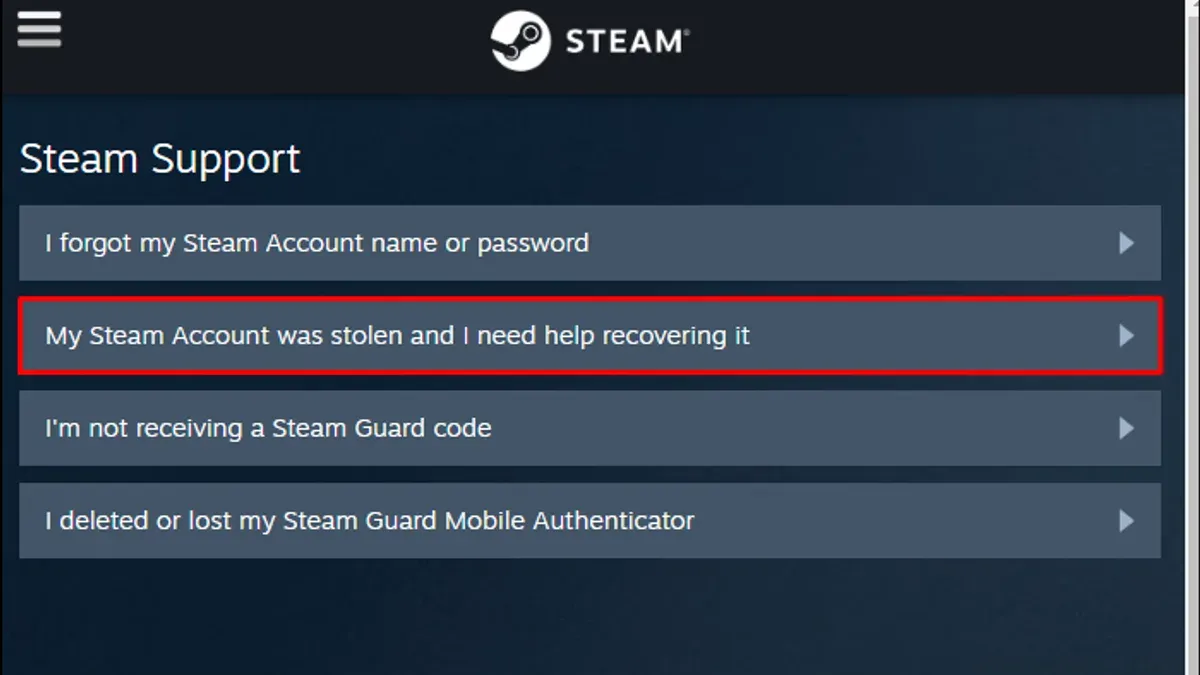
Begin by navigating to the official Steam Support website and selecting the "Help, I can't sign in" option. Then choose "My account was stolen" or "I think my Steam account has been hacked" to access the hacked account reporting form. This form requires precise information to verify ownership and speed up recovery, such as recent purchase transactions, linked phone numbers, and the original email address tied to the account.
Submit all requested proof, like scanned receipts or payment method details, to establish rightful ownership. Avoid unofficial or third-party recovery services; Steam Support is the sole legitimate channel for dealing with account compromises. Using unauthorized services risks further security breaches or scams.
After submission, Steam Support typically responds within a few days but response times can vary depending on workload. The support team reviews the information, confirms ownership, and guides the user through the secure recovery process. Users should monitor their email inbox and Steam Support messages for updates.
Example: A user unable to sign in selects "My account was stolen," uploads a screenshot of their recent purchase receipt, and provides their linked phone number. Steam Support verifies these details before sending instructions to reset the password and restore control.
How to recover Steam account hacked?
Start recovery by visiting the Steam login page and selecting "Forgot your password?". Enter the account name, email address, or phone number linked to the account to receive password reset instructions. If the original email is still accessible, reset the password immediately using the emailed link.
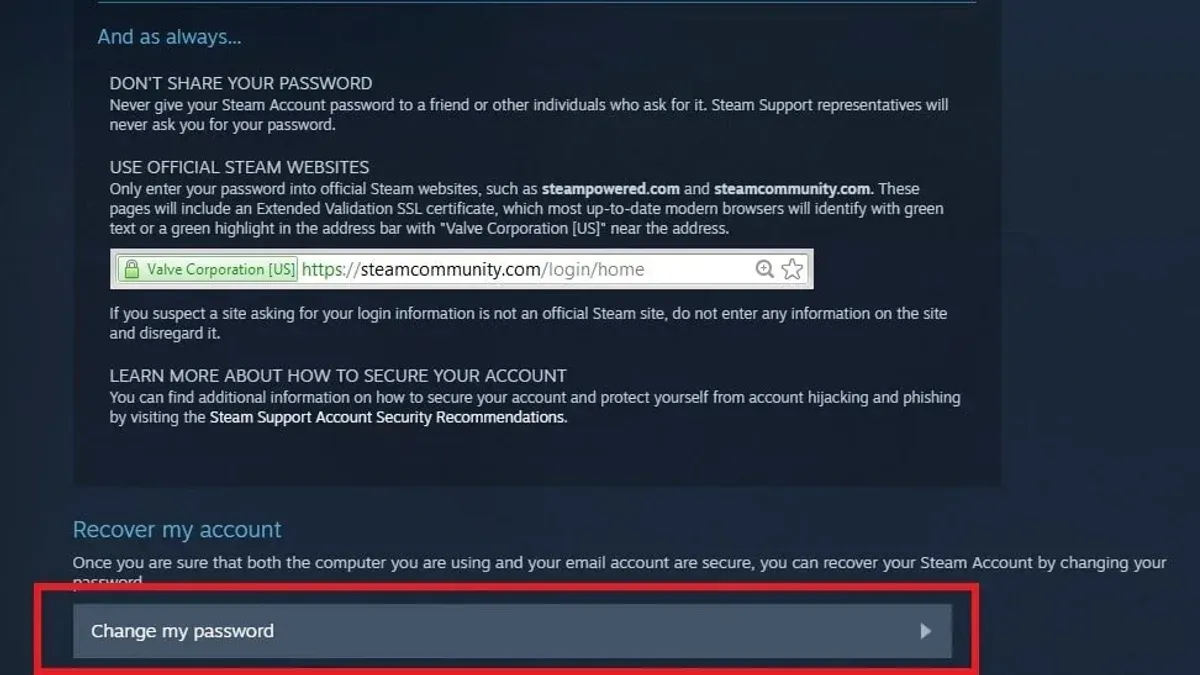
If Steam Guard Mobile Authenticator was enabled, use the recovery codes saved during setup to regain access quickly. Accounts with Steam Guard enabled have a significantly higher recovery success rate because the authenticator adds an extra verification layer.
When the email associated with the Steam account has been changed by the hacker, automated recovery may fail. In this case, submit a ticket through Steam Support's hacked account form with proof of ownership, such as CD keys from purchased games or payment method details. Steam Support typically requires detailed information to verify ownership before assisting.
A common pitfall is ignoring the security of the linked email account. If that email is compromised or inaccessible, recovering the Steam account becomes more difficult. Secure the email account first by resetting its password and enabling two-factor authentication before proceeding.
For example, a user with Steam Guard enabled who loses password access can use recovery codes and reset the password promptly. Conversely, a user without Steam Guard and with a changed email must rely on Steam Support and provide ownership proofs, which takes longer and is less guaranteed.
How often do Steam accounts get hacked and is Steam getting hacked?
Steam account hacks occur regularly but represent individual user compromises rather than breaches of Steam’s core platform. While exact numbers are unavailable, user reports and security forums indicate thousands of accounts face unauthorized access each year. These incidents mainly stem from phishing, password reuse, or malware rather than vulnerabilities in Steam’s infrastructure.
Steam experienced a significant security incident in 2011 when hackers accessed Steam user data, exposing usernames and hashed passwords. Since then, Valve has implemented robust security measures, including mandatory Steam Guard two-factor authentication and encrypted login sessions, greatly reducing platform-wide risks.
Most current hacks result from user-side vulnerabilities such as weak passwords or falling for phishing scams. For example, a user clicking a convincing fake Steam login page risks credential theft despite Steam’s secure servers. This distinction is critical: Steam’s servers remain secure, but user practices often create openings.
Valve continues to improve defenses and educate users, but the effectiveness depends on users adopting recommended security steps. The platform’s layered protections make widespread breaches unlikely, but individual account hacks remain a persistent issue due to human factors.
How are Steam accounts hacked?
Steam accounts are targeted through multiple technical and social hacking techniques. Phishing remains a top method: attackers create fake Steam login pages nearly identical to the official site, tricking users into entering credentials. For example, a phishing email might direct users to a URL like "steamcommunity-login.com" instead of the legitimate "steampowered.com," capturing their passwords instantly.
Malware also threatens Steam accounts by logging keystrokes or extracting stored credentials. Variants like remote access Trojans (RATs) hide silently on infected machines, sending login details back to hackers. Man-in-the-middle attacks exploiting unsecured public Wi-Fi intercept Steam login data when users connect without encryption, compromising sessions.
Reused passwords from unrelated data breaches present another vulnerability. Attackers test leaked credentials across Steam accounts, often succeeding if users recycle passwords. Social engineering targets both Steam Support and a user's friends, with hackers impersonating the account owner to request information or trade access. For example, an attacker might convince a friend to confirm a trade or share a Steam Guard code, bypassing direct account defenses.
How to fix a Steam account hacked email changed?
When a hacker changes the email linked to a Steam account, automated password reset options become unusable because reset links go to the new, unauthorized email. The only way to regain control is through Steam Support's account recovery process, which requires submitting proof of ownership. This proof often includes recent transaction IDs, phone number verification linked to the account, or previous account details like purchase history or the original email address.
For example, a user noticing their email was changed without authorization should immediately visit the Steam Support page, select "Help, I can't sign in," then choose "My account was stolen." They must follow the prompts to submit ownership evidence. Steam Support then evaluates the claim, which can take several days depending on the volume of requests and the quality of the provided proof.
Tip: Providing clear transaction records—such as credit card charges or gift card codes—significantly improves the chances of successful recovery and speeds up the process.
Users should beware of third-party services or scams that promise quick email reversal. Only Steam Support can securely handle these cases, and patience is required during the official recovery timeline.
How to secure a Steam account after it got hacked?
After regaining access, the first step is enabling Steam Guard Mobile Authenticator. This feature, found under Steam > Settings > Account > Manage Steam Guard Account Security, adds a dynamic code requirement at login, blocking unauthorized access even if passwords are compromised. Accounts with Steam Guard enabled show markedly fewer successful hacks compared to those relying solely on passwords.
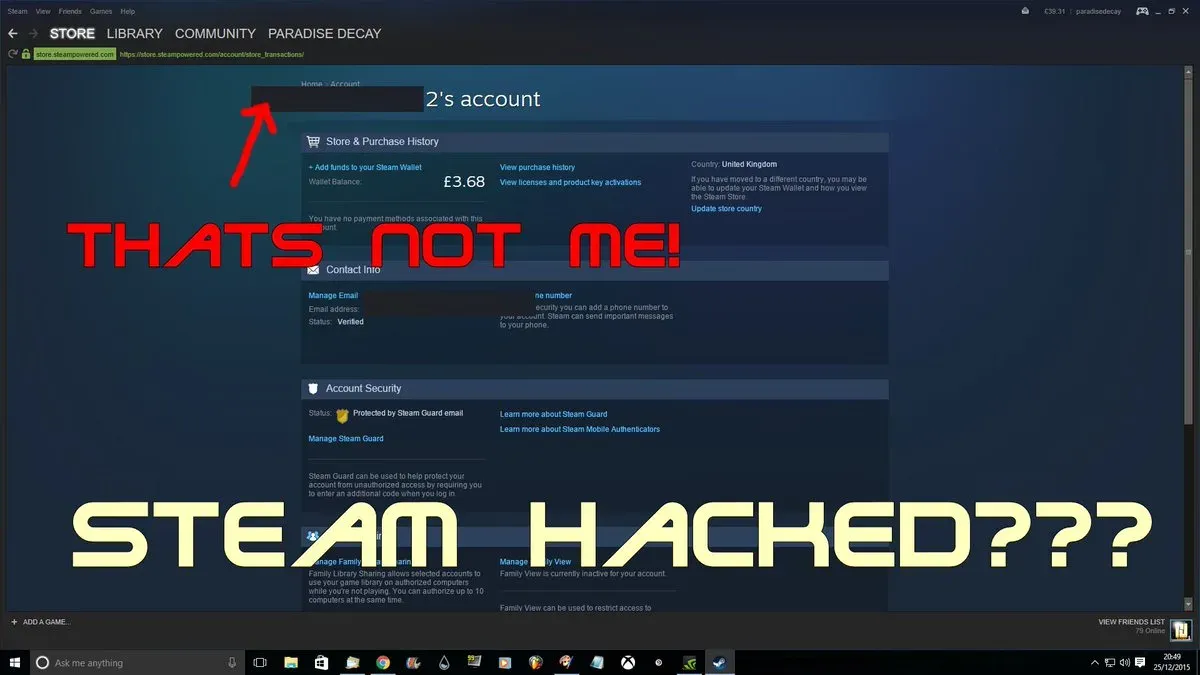
Next, use a strong, unique password generated by a reputable password manager. Avoid reusing passwords from other sites. This reduces risk from credential stuffing attacks. Change the password in Steam under Account Details > Change Password and update it immediately if there is any suspicion of reuse.
Regularly monitor account activity by checking the “View Account Details” > “Account Security” section and reviewing recent login history and trade logs. Early detection of unauthorized actions can prevent further damage. Set notifications for trades and purchases to stay informed.
Avoid phishing links by verifying URLs carefully before entering credentials. Never download suspicious files or software claiming to enhance Steam experience. Cybercriminals often use fake Steam-related emails to trick users.
Lastly, secure the linked email and phone number with two-factor authentication and strong passwords. If these recover channels are compromised, regaining control becomes difficult. Consider using email providers that support multi-factor authentication and alert on suspicious logins.
Tip: Combining Steam Guard Mobile Authenticator with a secure email 2FA setup creates a layered defense that drastically lowers the risk of future hacks.
Common mistakes to avoid after a Steam account hack
Ignoring suspicious emails or login alerts can allow hackers to maintain access unnoticed. For instance, some users have reported missing urgent Steam Guard notifications because they dismissed emails as spam, leading to prolonged unauthorized activity.
Using unofficial recovery tools or third-party services often results in scams or theft of more personal data. One common example involves fake recovery websites that mimic Steam Support, tricking users into submitting credentials that hackers then exploit.
Failing to secure the linked email or phone number delays recovery significantly. If a hacker controls these recovery options, automated resets won’t work, and proving ownership to Steam Support becomes more complicated and time-consuming.
Continuing to use compromised devices without running a full malware and antivirus scan risks reinfection. Malware on the device can capture new passwords or authentication codes, undoing recovery efforts.
Sharing account details or recovery information publicly, such as on forums or social media, exposes users to social engineering or credential theft. Users have lost accounts after posting screenshots containing sensitive data like partial passwords or Steam Guard codes.
Frequently asked questions
How do steam accounts get hacked?
Steam accounts typically get hacked through phishing scams, where users are tricked into entering their credentials on fake websites. Malware or keyloggers installed on a device can also capture login details. Additionally, reused or weak passwords and data breaches from unrelated sites can expose account information.
Is my steam account hacked?
Signs of a hacked Steam account include unauthorized purchases, unfamiliar games or friends added, changed account details like email or password, and unexpected login alerts. Checking recent activity in Steam’s account details section can reveal suspicious behavior.
Can your steam account get hacked?
Yes, Steam accounts can be hacked if security measures are weak or compromised. Without two-factor authentication and strong, unique passwords, accounts remain vulnerable to various attack methods.
How steam account got hacked?
A Steam account often gets hacked due to phishing attacks, malware infections, or credential leaks from other breached services. Attackers exploit weak security habits or software vulnerabilities to gain access.
can your steam account get hacked?
Steam accounts are at risk of being hacked if proper security practices are not followed. Using strong passwords, enabling Steam Guard two-factor authentication, and avoiding suspicious links reduce this risk significantly.
What this advice does not cover
This article does not cover recovery for accounts compromised due to hardware theft or physical access to devices. Some recovery steps require access to the original email address or phone number linked to the Steam account, which may not always be possible. Additionally, this guidance assumes cooperation from official Steam Support; results can vary depending on the complexity of each case and the accuracy of information provided during the recovery process.
Tip: Keep backup copies of account credentials and linked contact details in a secure location separate from your primary devices.
After following the steps outlined here, the single most useful next action is to immediately contact Steam Support through their official website using the “Help, I can’t sign in” option. Provide as much accurate information as possible, including proof of account ownership like purchase receipts or payment details, to maximize chances of successful recovery and future protection.
See also: How to Secure and Recover a Slack Account Hacked · How to Recover and Secure a Rockstar Games Account After a Hack · How to Recover and Protect a Riot Games Account After a Hack · How to Recover and Protect a Minecraft Account Hacked or Compromised