How to Recover and Secure a Hacked Skype Account
This guide shows how to recover and secure a Skype account hacked through Microsoft account vulnerabilities to prevent identity theft and data loss.

This guide explains how to recover and secure a Skype account hacked or compromised through vulnerabilities in the Microsoft account system. Skype accounts are closely tied to Microsoft accounts, so a breach often means broader access to email, OneDrive, and other services. Recognizing this connection is crucial for effective recovery and preventing further damage.
Unauthorized access to a Skype account can lead to identity theft, spam messages sent to contacts, or loss of personal data. Immediate steps involve verifying account activity, changing passwords, and enabling multi-factor authentication in the Microsoft account security settings. Understanding these measures helps contain the breach and strengthens defenses against future attacks.
What happened to my Skype account?
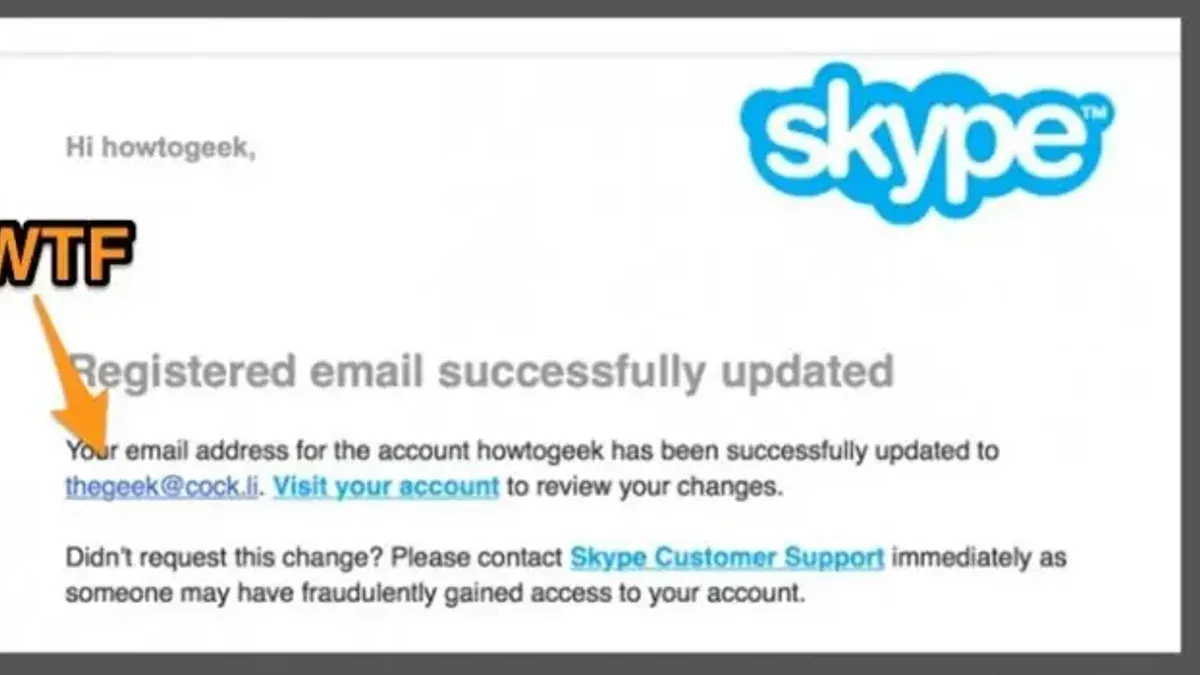
A hacked Skype account often shows clear signs such as unauthorized login alerts or messages sent without the owner's knowledge. Users frequently report seeing chats they did not write or unfamiliar contacts added to their list. Another common indication is unexpected changes to account details like the profile name, picture, or linked email address, which hackers modify to maintain control.
Phishing attacks remain a primary method hackers use to obtain Skype credentials. Attackers send deceptive emails or messages impersonating Microsoft or Skype, tricking users into revealing passwords. Since Skype accounts are tied to Microsoft accounts, vulnerabilities in the Microsoft login system can directly compromise Skype access.
For example, a user might receive a security alert about a login from an unknown device followed shortly by spam messages sent to their contacts. This pattern suggests an attacker gained access through stolen Microsoft credentials, exploiting the shared authentication system. Recognizing these signs quickly helps prevent further damage and limits the hacker's window to misuse the account.
Why do I keep getting hacked?
Repeated hacking often stems from weak security habits that leave accounts vulnerable. A common risk is password reuse across multiple sites. When one less secure service is breached, attackers try the same credentials on Skype and Microsoft accounts. This method, known as credential stuffing, exploits users who reuse passwords despite warnings.
Another major factor is the absence of two-factor authentication (2FA). Without 2FA enabled in Microsoft account settings, a compromised password alone grants full access. Adding 2FA via the Security > Two-step verification page significantly reduces unauthorized access.
Phishing and social engineering remain effective. Attackers send convincing fake emails or messages prompting users to enter credentials on fraudulent websites. For example, a user might receive a message claiming to be from Microsoft Support requesting password verification, leading to account takeover.
Device and network security weaknesses also contribute. Using public Wi-Fi without a VPN or failing to update operating systems and antivirus software exposes accounts to interception or malware. Regularly applying updates and avoiding unsecured networks helps minimize this risk.
Why would someone hack my Microsoft account?
Microsoft accounts, which Skype relies on for authentication, store a wealth of personal information including emails, contacts, calendar events, and payment details. Hackers target these accounts to access this data, enabling identity theft or financial fraud. For example, gaining control of a Microsoft account can allow attackers to make unauthorized purchases via linked payment methods or impersonate the user to scam contacts.
Another motivation is using compromised accounts to distribute malware or spam. Once inside, attackers can send malicious links to the victim’s contacts, increasing the reach of their cyberattacks. This tactic often leads to further account compromises across a victim’s network.
Credential harvesting is also a common goal. Cybercriminals reuse stolen Microsoft account credentials to break into other services, exploiting password reuse or weak security practices. Reports of widespread Microsoft account breaches highlight how a single compromised account can serve as a stepping stone for broader cybercrime campaigns.
Tip: Reviewing account activity regularly in the Microsoft Security dashboard can help detect unauthorized access early.
How to recover a Skype account hacked or compromised
Begin by signing into the Microsoft account linked to Skype at account.microsoft.com. Navigate to the Security tab, then select Review recent activity to examine sign-ins and changes. Confirm if any unfamiliar devices or locations appear, indicating compromise.
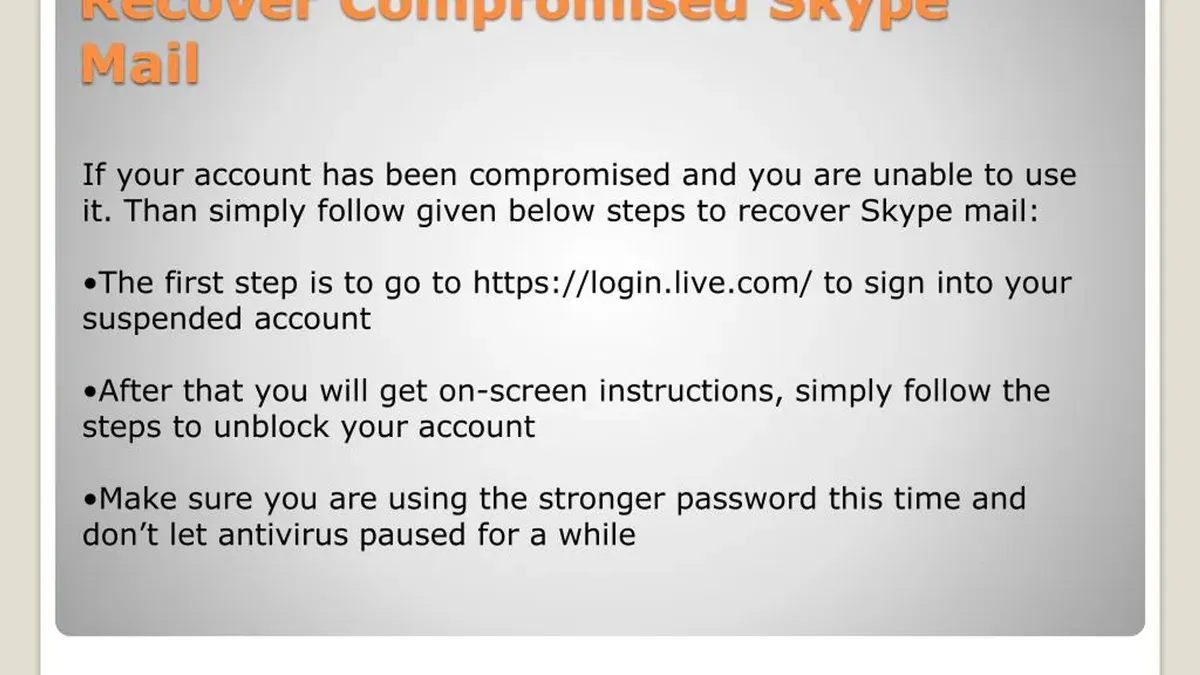
Next, use the Recover your account tool found at account.live.com/acsr if sign-in is blocked or suspicious activity is detected. This process requires providing the account email or phone number and verifying identity through security codes sent to recovery options. Successful recovery typically results in prompt account access restoration.
Once access is regained, immediately reset the password under Security > Password security. Choose a strong, unique password different from previous ones. Then, remove unauthorized devices and sessions by clicking Manage devices and signing out from all unfamiliar entries.
If locked out or unable to verify identity, contact Microsoft Support directly via support.microsoft.com. Provide account details and proof of ownership for manual recovery assistance. For example, a user who noticed unknown activity on their Skype account successfully used the recovery tool, reset the password, and cleared unauthorized sessions within an hour, securing the account fully.
How to contact Microsoft about hacked account issues
Microsoft directs users to its official support website for account recovery and hacking issues. Visit support.microsoft.com/account to access recovery forms, troubleshooting guides, and security settings. Recovery forms require details like the account email, previous passwords, and verification codes to confirm identity. This ensures only the legitimate owner regains access.
Phone and chat support are available but vary by region. In the US, the Microsoft support number is 1-800-MICROSOFT (1-800-642-7676). Online chat can be accessed through the support site’s contact options. Users should have account details and recent activity information ready to expedite help.
Avoid scams posing as Microsoft support. Official contacts never ask for full passwords or payment information upfront. If contacted by unsolicited emails or calls claiming to be Microsoft, verify through the official support site before providing any information.
Example: When a user’s account was locked after suspicious activity, they used the Microsoft recovery form with their alternate email and recent sign-in locations. After verification, Microsoft unlocked the account and helped reset security settings.
How to make a Skype account safely and avoid hacking
Start by creating a strong, unique password that combines uppercase and lowercase letters, numbers, and symbols. For example, instead of using "password123", choose a passphrase like "Violet!Sky9$River". This complexity significantly reduces the risk of brute force attacks and password guessing.
Enable two-factor authentication (2FA) on the Microsoft account linked to Skype. This adds a second verification step beyond the password, such as a code sent via SMS or generated by an authenticator app. Accounts with 2FA enabled are far less vulnerable to compromise, even if the password is exposed.
During signup, avoid phishing traps by always accessing Skype and Microsoft account creation pages through official URLs (e.g., microsoft.com or skype.com). Do not click on links in unsolicited emails or messages claiming to offer Skype registration or login. Phishing attempts often mimic legitimate sites to steal credentials.
Verify and update recovery options immediately after account creation. Add a valid phone number and an alternate email address in the Microsoft account security settings under "Security > Advanced security options." These details enable account recovery if access is lost or suspicious activity is detected.
Tip: Use a reputable password manager to generate and store complex passwords, ensuring they are unique across all accounts.
How did Skype use growth hacking techniques?
Skype’s rapid user growth was driven by viral referral incentives that encouraged existing users to invite friends and family. Early on, Skype offered free calls and messaging features that spread quickly via word-of-mouth and referral links, creating a network effect that expanded its user base exponentially. This strategy turned each user into a potential promoter, accelerating account creation and connection building.
Integration into the Microsoft ecosystem further amplified this growth by linking Skype accounts with Microsoft accounts, streamlining sign-ins and cross-service access. This integration increased account linkage across platforms, making Skype more accessible but also enlarging the potential attack surface for hackers targeting Microsoft’s broader identity system.
For example, when users adopted Skype through their Microsoft account login, they often did not create separate credentials, which simplified access but tied Skype security directly to Microsoft account security. The sheer volume of new accounts—from millions in the early years to hundreds of millions as Microsoft acquired Skype—meant that any security weakness could impact a vast and diverse user pool.
What if my Microsoft account is hacked?
If the Microsoft account linked to Skype is compromised, immediate action is required to prevent further damage. Start by changing the Microsoft account password from the Security settings page on account.microsoft.com. This stops unauthorized access across all Microsoft services connected to that account, including Outlook and OneDrive.
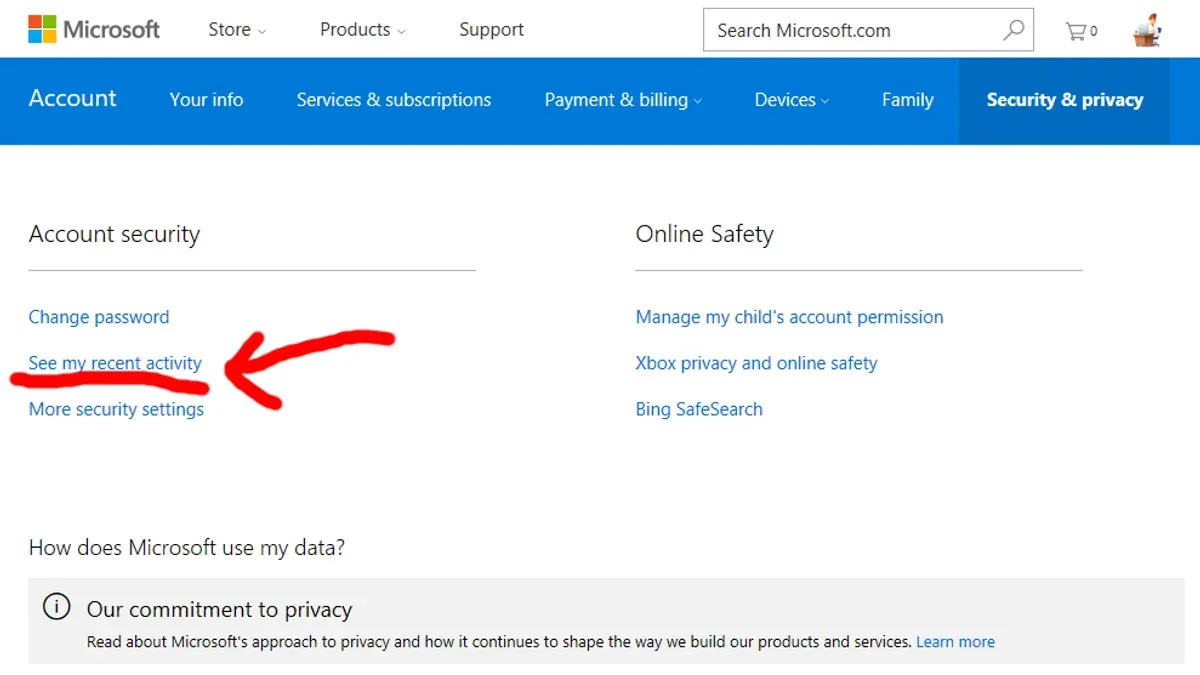
Next, review connected apps and devices by navigating to Devices and Apps & services under the same security dashboard. Remove any unfamiliar devices or applications that may have gained access. This step is often overlooked but critical for cutting off ongoing intrusions.
Monitor for signs of identity theft such as unexpected emails, password reset notifications, or unfamiliar transactions in linked financial accounts. Microsoft recommends enabling alerts for suspicious activity within the Security & privacy section to stay informed.
For example, if someone gains access and sends phishing emails from the compromised Outlook inbox, immediate password changes combined with device review can halt the spread and prevent further account misuse. Microsoft’s security dashboard consolidates these controls, making it easier to manage the account’s integrity after a breach.
How to get out of a Skype account on a device
To prevent unauthorized access, logging out of Skype on devices no longer in use is crucial. On the desktop app, click the profile picture in the top-left corner, then select Sign Out at the bottom of the menu. On mobile, tap the profile icon, go to Settings, scroll down, and choose Sign Out. This removes access locally but does not affect other devices.
To log out remotely from all devices, use the Microsoft account security settings. Sign in at the Microsoft account portal, navigate to Devices, select the device to remove, and click Sign out or Remove device. Then, go to Security & privacy > More security options and choose Sign me out everywhere to force a global logout.
Also clear any saved Skype credentials on the device to prevent automatic sign-ins. For example, on Windows, open Credential Manager, find Skype or Microsoft credentials, and remove them. This step is often missed but essential to stop silent re-entry.
For instance, if a user suspects a lost phone is still logged into Skype, signing out remotely via the Microsoft portal and removing credentials on other devices ensures no one else can access the account until a new login occurs.
Frequently asked questions
How to get out of skype account?
To sign out of a Skype account on a device, open the Skype app, click on the profile picture or initials in the top-left corner, then select "Sign out" from the dropdown menu. On mobile, tap the profile icon, scroll down, and tap "Sign out." This action removes the account from that device but does not delete the account itself.
Why my account is hacked?
Accounts often get hacked due to weak or reused passwords, phishing attacks, or compromised email credentials linked to the account. Malware or unauthorized access through unsecured networks can also lead to account breaches. Regularly updating passwords and enabling two-factor authentication reduces these risks.
Why would my email be hacked?
Email accounts are frequently targeted because they serve as gateways to other services, including Skype and Microsoft accounts. Attackers exploit leaked passwords, phishing scams, or security vulnerabilities to gain access. Once inside, they can reset other linked accounts, making email security critical.
Recover Skype account hacked: what are the fastest steps?
Immediately reset the Microsoft account password linked to Skype via the official Microsoft password reset page. Next, review recent account activity and remove any unfamiliar devices from security settings. Enable two-step verification and update recovery information to lock down the account quickly.
Has Skype been hacked recently affecting users?
There are no verified widespread Skype hacks reported recently that have broadly affected users. Most security issues arise from compromised Microsoft accounts or phishing rather than direct breaches of Skype's infrastructure.
What this advice does not cover
This guide does not cover advanced forensic recovery for accounts hacked through sophisticated state-sponsored attacks. Users facing such high-level threats should seek assistance from cybersecurity professionals with expertise in digital forensics and incident response. Additionally, this advice does not address recovery of accounts compromised due to physical device theft or malware infections on local machines; those situations require device-specific security measures.
The single most useful next step after suspecting a Skype or Microsoft account compromise is to immediately change the Microsoft account password using the official account security settings page at account.microsoft.com/security. Prioritize enabling two-factor authentication there to create a strong security barrier. This action protects not only Skype but also all other Microsoft services linked to the account, closing the most common vulnerabilities exploited by attackers.
See also: Microsoft Teams Account Hacked: How to Respond and Stay Secure · How to Recover and Secure a Hacked Outlook Account · How to Handle and Prevent a Notion Account Hacked Situation · How to Recover and Secure a Rumble Account After a Hack