Effective monday.com Rollout Plan for Office Managers
A monday.com rollout plan for office managers ensures smooth adoption, clear workspace design, and automation to enhance team coordination and data accuracy.

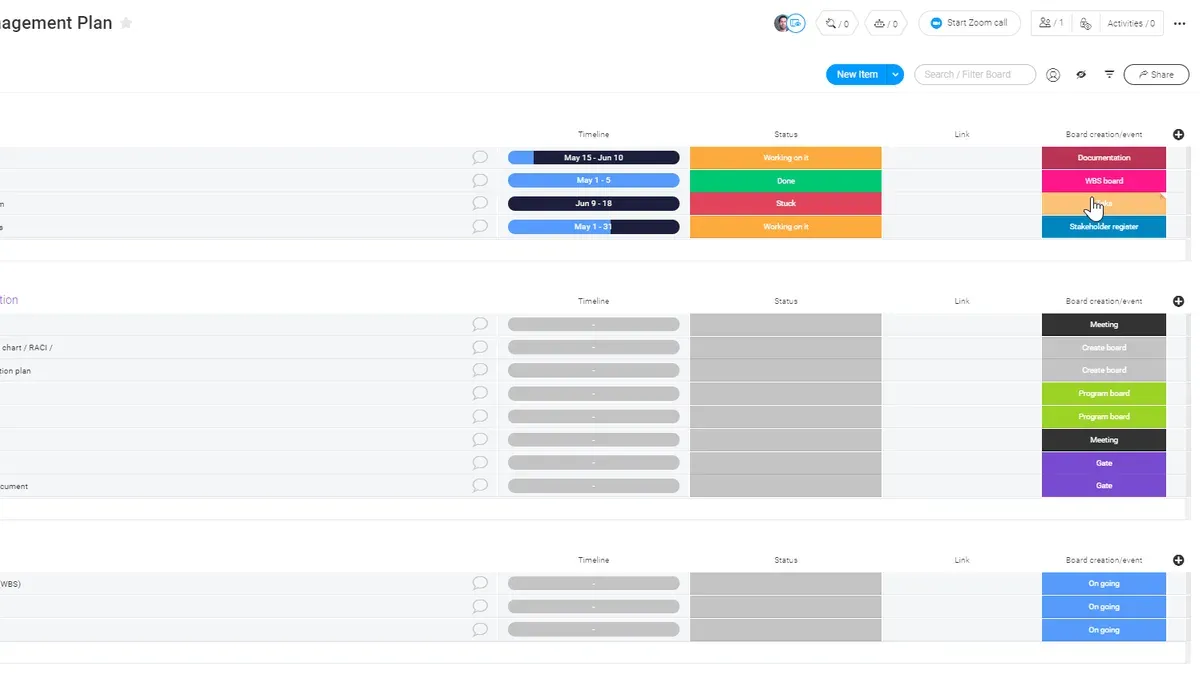
A monday.com rollout plan for office managers enables precise control over workspace design, integration, team coordination, and automation to secure adoption and data integrity. Common pitfalls include duplicate boards, inconsistent data, misunderstood automations, and low user adoption, all of which can cripple operational workflows.
Leveraging monday.com AI agents for automating scheduling, data cleanup, reporting, and risk detection further enhances efficiency while maintaining enterprise-grade security and AI usage tracking. This guide focuses on decisions unique to monday.com rollout for office managers, emphasizing structure, automation, and avoiding the common failure patterns that cause early collapse.
Last verified November 2026 against CarbonWeb, monday.com.
How to use monday work management effectively in an office rollout
These objectives align the platform's capabilities with real business workflows rather than treating it as generic task management. Without this clarity, teams adopt the system inconsistently, leading to unreliable data and fractured usage patterns.
monday.com supports multiple levels of workflow tracking, from individual boards to department-level workspaces. Each workspace can mirror a department or business function, while boards handle specific projects or processes within that scope. This hierarchy should be configured to reflect actual business operations to ensure data integrity and ease of use.
Setting explicit goals early in the rollout guides workspace and board design decisions and facilitates targeted training. For instance, if unified deal tracking is a priority, boards must be structured to capture all relevant sales pipeline stages accurately, enabling quick, reliable reporting. This prevents the common failure of fragmented data and lost insights that occur when teams operate without shared objectives.
Clarity in operational goals directly correlates with adoption rates and data trust, which are critical to the rollout’s success. Defining these criteria upfront anchors monday.com use in measurable business outcomes rather than abstract task lists, ensuring everyone understands the system’s purpose and how to engage with it effectively. source
What workspace and board structure works best for office managers
Workspaces should be aligned with departments or core business functions such as Sales, Marketing, Operations, and Support. This structure supports clarity and ownership, enabling each team to focus on its workflows within a dedicated space.
Creating too many separate workspaces or excessively granular boards complicates onboarding and disrupts workflow connections. This fragmentation often leads to confusion and inefficiency, as teams struggle to navigate and maintain coherence across the platform.
Workspaces group related boards by department or function, while boards track workflows at varying levels—ranging from overarching processes to detailed tasks. This structure reflects operational reality and simplifies collaboration, keeping related processes logically grouped.
| Workspace Structure | Pros | Cons |
|---|---|---|
| Department-Based Workspaces | Clear ownership; mirrors business structure; easier onboarding | May require cross-workspace integration for interdepartmental projects |
| Over-Segmented Workspaces/Boards | Granular control over tasks and workflows | Complex onboarding; workflow disconnection; training challenges |
For instance, grouping all sales-related boards within a single Sales workspace centralizes client tracking, pipeline management, and reporting. This approach avoids dispersing these boards across multiple workspaces, which would hinder visibility and increase training time.
Balancing workspace granularity with usability demands restraint. Start with broad departmental workspaces and refine boards to capture workflow depth. Only create additional workspaces when a clear functional separation justifies it. This balance ensures manageable complexity while supporting operational needs. Workspace Architecture & Design → Workspace Structure
How to audit existing tools before rolling out monday.com
Identify overlaps where multiple applications address the same task, such as project tracking or reporting. Overlapping tools increase complexity, create data silos, and erode user trust. An explicit decision is required: which tools will monday.com replace, which will integrate through native or custom connectors, and which must remain separate due to specialized functions or legacy constraints.

Consider a finance department using a dedicated invoicing system alongside a separate project management tool. If monday.com will handle project workflows, the invoicing system likely remains separate, but integration should be planned to ensure data consistency. Conversely, if multiple teams rely on several task trackers, consolidate these into monday.com to reduce duplication and streamline operations.
Use a decision matrix to clarify these choices. List situations down the side, such as “Multiple tools with overlapping workflows” or “Specialized apps with no monday.com equivalent.” Across the matrix, mark if monday.com replaces, integrates, or coexists with each. The decisive factor is whether the tool’s core function overlaps with monday.com capabilities or requires distinct handling. This approach avoids the pitfall of layering monday.com atop existing systems without integration, which drives up costs and lowers confidence in data.
Performing this audit before rollout ensures a clear, sustainable tool ecosystem aligned with monday.com’s structure and workflows. This avoids duplication and complexity that commonly derail adoption and operational efficiency. Source.
Which teams should be involved in the monday.com rollout and why
Limiting the rollout to a single team creates siloed information and duplicate efforts. For instance, if only the marketing department is onboarded, sales and customer support may continue using separate tools, fragmenting data and undermining unified reporting.
Cross-team collaboration is essential to design workflows that reflect actual business processes spanning departments. Including operations, IT, sales, marketing, HR, and finance ensures the workspace and boards align with real-world interactions. This alignment avoids duplicated boards and misunderstood automations, common pitfalls in monday.com implementations.
Engaging these teams early promotes consistent data entry and shared ownership of processes. The resulting unified workflows improve operational visibility and reporting accuracy. Without this broad participation, adoption rates drop as teams resist switching from familiar tools or maintain parallel systems.
For example, a rollout focusing only on office administration missed integrating project management with the IT team’s task boards. This caused redundant data entry and inconsistent status updates, delaying decision-making. Integrating all relevant teams prevents such fragmentation and drives adoption across the organization.
Involving multiple teams from the start also helps identify automation opportunities using monday.com AI agents, boosting efficiency and reducing manual handoffs between departments.
How to incorporate monday.com AI agents to automate and improve efficiency
These agents reduce manual errors by automating repetitive processes, enabling teams to focus on higher-value tasks and improving data quality across boards. For example, instead of manually consolidating project updates, AI agents can generate real-time status reports automatically.
Enterprise-grade security is built into AI usage on monday.com, with controls to track AI activity and set usage limits per team. These limits prevent automation from exceeding operational scope and maintain data privacy. Office managers can configure these settings via the Admin section under AI Usage, ensuring compliance with organizational policies.
Automation with AI agents accelerates reporting cycles and identifies potential risks early by analyzing usage patterns and flagging anomalies. Without AI, scheduling and data cleanup consume significant manual effort, increasing the chance of inconsistencies. The AI agents’ ability to work continuously and consistently is unique to monday.com among similar platforms, making them a critical tool for efficient rollout management.
Setting clear boundaries for AI agent tasks ensures that automated workflows complement human oversight rather than replace it. A typical deployment involves enabling AI agents for scheduling recurring meetings, cleaning outdated entries on boards, generating weekly progress reports, and alerting managers to irregular data trends. This combination leads to faster, more reliable rollout execution.
The operational advantage lies in replacing error-prone manual steps with AI-driven automation, improving both speed and accuracy. This approach supports better decision-making and eases the administrative burden on office managers during monday.com rollout.
What common mistakes cause monday.com rollouts to fail
Duplicate boards create confusion and inconsistent data, as teams update different versions of the same project. This fragmentation undermines data trust and decision-making. For instance, having separate boards for the same client across departments leads to conflicting status reports and missed deadlines.
Misunderstood automations cause workflow errors when triggers or actions are incorrectly set. Automation misconfigurations can halt processes or generate incorrect notifications, disrupting operations. Clear documentation and testing automation sequences before going live prevent these failures.
Low adoption results from unclear goals and poor onboarding. When success criteria are not defined, teams use monday.com inconsistently, producing unreliable data. Onboarding must emphasize measurable objectives and consistent workflows to secure engagement.
Over-segmentation of workspaces and boards early in the rollout complicates training and breaks workflow connections. Excessive separation forces users to navigate multiple spaces unnecessarily, decreasing system coherence and slowing adoption.
Implementing monday.com without integrating or replacing existing tools causes duplication and technical complexity. Maintaining parallel systems reduces trust in any single source and increases operational costs. Consolidation decisions must be deliberate to avoid this pitfall.
| Symptom | Cause | Fix |
|---|---|---|
| Conflicting project updates | Duplicate boards for the same work | Consolidate boards; use workspace hierarchy to centralize data |
| Automation errors or halted workflows | Misconfigured automation triggers/actions | Review and test automations before deployment; train users on automation logic |
| Low team engagement and varied usage | Undefined goals and inconsistent onboarding | Set clear success metrics; standardize onboarding materials |
| Confusing navigation and workflow breaks | Too many segmented workspaces/boards early on | Limit workspace creation to departments; connect workflows within boards |
| Multiple tool duplicates and higher costs | Failure to integrate or replace existing tools | Decide tool ownership in audit; integrate or retire redundant systems |
What order of steps ensures a smooth monday.com rollout
This sets a focused direction for workspace design and automation. Skipping or rushing this step causes misaligned workflows and data inconsistencies later.
Next, identify all involved teams early in the process. Delaying team involvement often leads to overlooked requirements and resistance.
Conduct a thorough audit of existing tools before designing the workspace. This preempts duplication and complexity by deciding which tools monday.com will replace or integrate with. Designing workspace architecture without this audit risks redundant boards and fractured data.
Proceed to workspace and board hierarchy design. Use the Workspace Structure and Board Hierarchy paths to build departmental and workflow-aligned spaces. Creating boards before auditing tools or defining teams results in poor structure and onboarding hurdles.
After workflows stabilize, incorporate monday.com AI agents to automate scheduling, reporting, data cleanup, and risk detection. Automation introduced prematurely can misfire on incomplete or unstable processes, causing confusion and errors.
Finally, train users thoroughly and monitor adoption continuously. Early training reinforces correct use of the workspace and automations, while ongoing monitoring allows quick correction of issues. Neglecting training or monitoring leads to underutilization and workflow breakdowns.
For instance, if the workspace is designed before auditing tools, duplicate boards often emerge, causing confusion and data fragmentation. Following this sequence avoids that pitfall and secures a stable rollout foundation. The entire process is detailed under the Pre-Implementation Planning and Workspace Architecture & Design menus, guiding through each critical step to prevent common failures.
What to do after completing the monday.com rollout
Monitor user adoption and engagement metrics one week after launch via the monday.com Admin Center's Usage Analytics dashboard. Low login frequency or limited board activity signals the need for targeted follow-up training or communication. Confirm data consistency across key boards by running reports that highlight discrepancies or missing entries, which often indicate automation failures or user error.
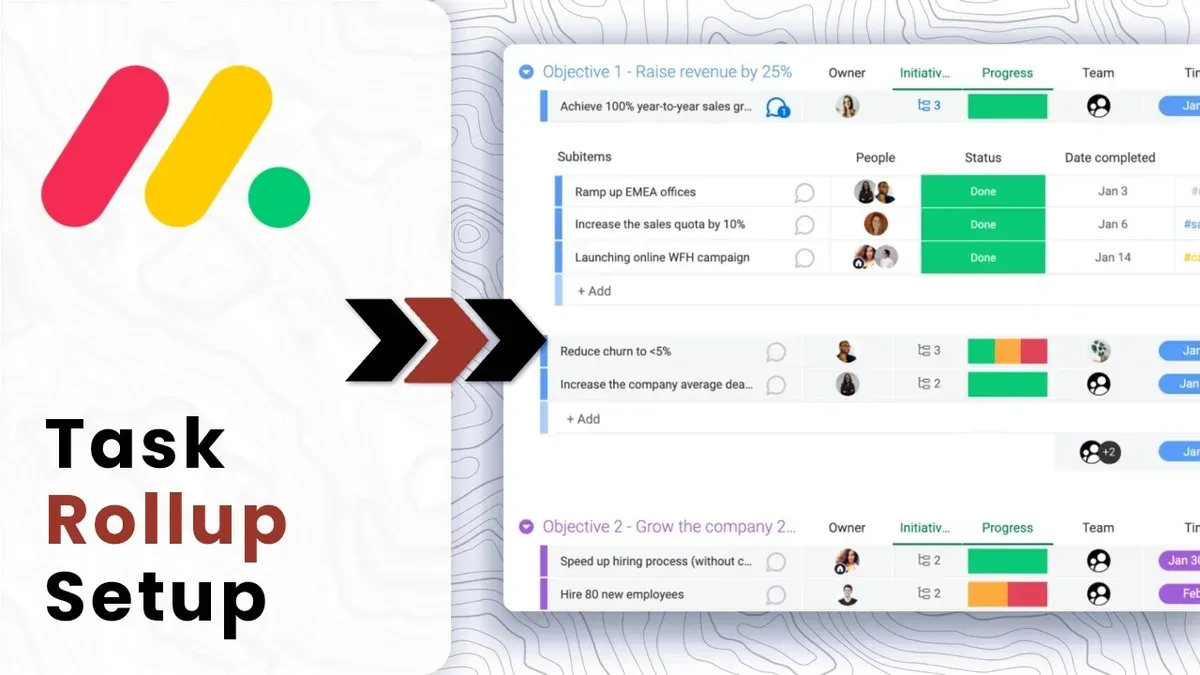
Evaluate the performance of workflow automations by checking the Automation Log under each board’s settings. Look for failed triggers or unexpected outcomes, especially in complex automations involving multiple dependencies. monday.com AI agents can assist in data cleanup and risk identification, but these require periodic review to maintain accuracy.
Provide ongoing support through scheduled refresher sessions and an accessible help channel to address emerging questions or issues. Gather user feedback on workspace structure and automation effectiveness. Adjust board hierarchies or automation recipes based on this input to improve efficiency and reduce friction.
Plan for revising or undoing problematic automations and boards using the monday.com version history and automation management tools. For example, if duplicate boards cause confusion, consolidate or archive them promptly. Undoing automations can prevent cascading errors and data inconsistencies.
Failing to act on these post-rollout checks often leads to system degradation within 30 to 90 days, primarily due to overlooked duplicate boards, inconsistent data, misunderstood automations, and low adoption rates. Source
When monday.com rollout is not the right solution
Implementing monday.com requires cross-team workflows and clear operational goals. If workflows are highly siloed and do not require integration across departments, a full monday.com rollout may add unnecessary complexity. For instance, a small legal team managing isolated contracts without interaction with sales or operations might find a simpler, task-specific tool more suitable.
When existing tools are deeply embedded and cannot be integrated or replaced, adding monday.com often leads to duplicate boards and inconsistent data. Maintaining parallel systems increases confusion and reduces trust in any platform, causing adoption to falter within 30 to 90 days. This risk is particularly pronounced if the rollout lacks resource allocation for thorough tool audits and integration planning.
Organizations without sufficient resources for training and ongoing adoption management struggle to maintain consistent use. Without clear guidance and monitoring, misunderstood automations and fragmented workflows emerge, undermining the expected benefits. Office managers should consider consulting specialists or starting with simpler solutions for small teams before committing to a full monday.com rollout.
Frequently asked questions
How to use monday work management free plan effectively?
The free plan limits the number of users and boards but supports basic workspace and board setup. Focus on creating essential boards for core workflows and use manual processes where automations are unavailable. Regularly archive completed boards to stay within limits and prioritize teams with the highest collaboration needs.
Limitations of this guide and when to seek specialized support
This guide does not cover in-depth technical setup steps such as API integrations, advanced security configurations, or pricing tier decisions. Complex workflows or enterprise environments may require specialized IT staff or certified monday.com consultants to ensure proper system architecture and compliance with organizational policies.
References
- monday.com Implementation Guide: Step-by-Step Guide for a monday.com Rollout — CarbonWeb
- The AI Workspace for People & Agents | monday.com — monday.com
See also: How to Build and Manage a monday.com Implementation Timeline · Switching from Trello to monday.com: A Practical Migration Guide · Moving from Basecamp to monday.com Checklist for Effective Transition · Move from Microsoft Planner to monday.com Checklist with Confidence