How to Understand, Protect, and Recover a Proton Mail Account
This guide explains how to understand, protect, and recover a Proton Mail account hacked, helping users secure their private email effectively.

This article explains how to understand, protect, and recover a Proton Mail account, addressing common concerns such as the search for "Proton Mail account hacked." Proton Mail is a secure email service that prioritizes privacy through end-to-end encryption and zero-access architecture, making it a popular choice for users wary of surveillance and data breaches.
Despite its strong security model, questions persist about the risk of hacking or unauthorized access. This guide clarifies Proton Mail’s actual security standing, outlines clear steps to create and manage accounts effectively, and provides practical advice for recovery and deletion. Understanding these elements helps users navigate Proton Mail’s features confidently while avoiding typical pitfalls.
What is Proton Mail account and why does it matter?
Proton Mail is an encrypted email service built to protect user privacy through strong security measures. Unlike traditional email providers that store messages in readable form, Proton Mail uses end-to-end encryption, meaning only senders and recipients can read the content. The service operates on a zero-access architecture, so even Proton Mail’s servers cannot access user messages or metadata.
Privacy-conscious individuals, journalists, and security-focused users often choose Proton Mail because it resists surveillance and unauthorized data collection common in mainstream email platforms. For example, a journalist communicating sensitive information can rely on Proton Mail to keep emails confidential, unlike standard providers that might scan or store data unencrypted.
Proton Mail supports open-source encryption standards such as PGP (Pretty Good Privacy) integrated seamlessly into its interface. While its user base is smaller compared to giants like Gmail or Outlook, its focus on secure, private communication sets it apart in the crowded email market. This makes Proton Mail a preferred choice when controlling one’s own data is a priority.
Is Proton Mail a scam or is Proton email really secure?
Proton Mail is a legitimate service operated by a Swiss company known for its commitment to privacy and security. It has a transparent track record, regularly publishing transparency reports that detail government requests and company responses. Independent security audits by reputable third parties have assessed Proton Mail’s infrastructure and codebase, confirming the robustness of its encryption and privacy measures.
Some misconceptions arise from phishing attempts or users confusing Proton Mail with unrelated scam emails using similar names. These scams exploit Proton Mail’s strong reputation but do not reflect any inherent vulnerability in the service itself. Proton Mail openly publishes its open-source code, allowing security experts and the public to verify its security claims. This open approach contrasts with many other email providers that keep their source code proprietary.
For example, Proton Mail’s use of end-to-end encryption means even the company cannot read user emails, a feature verified through code audits and expert analysis. This transparency and security posture make Proton Mail a trustworthy option, rather than a scam or insecure platform.
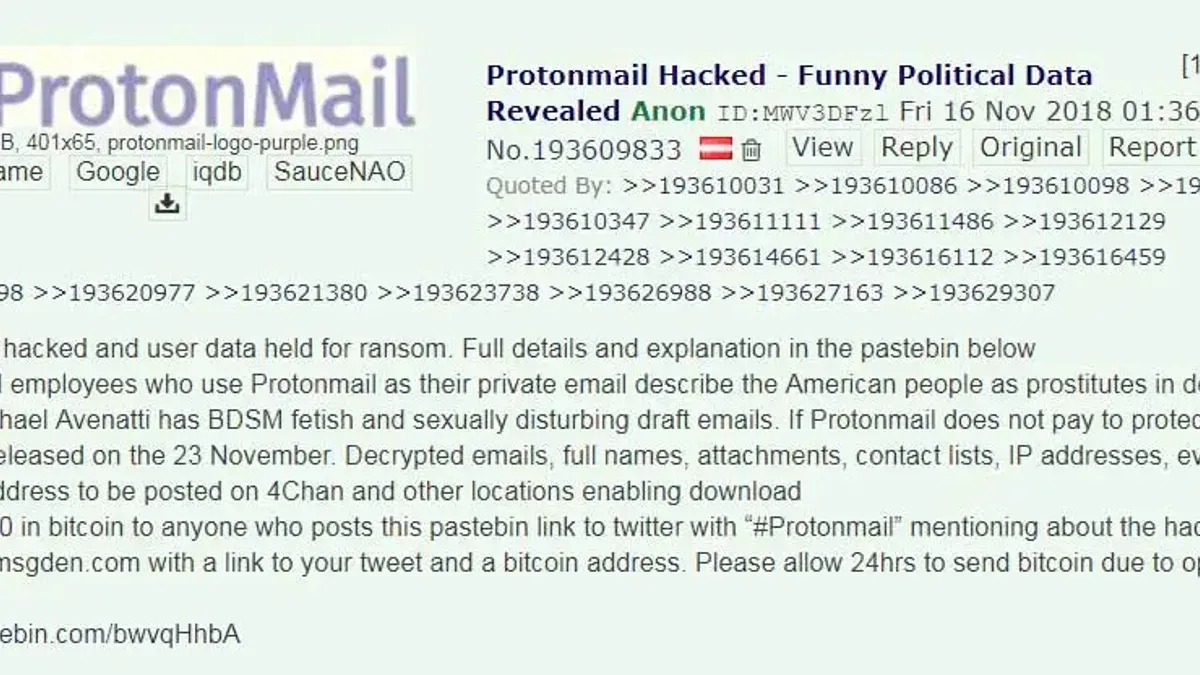
Has Proton Mail ever been hacked or has Proton Pass ever been hacked?
Proton Mail’s core email service has no public record of being hacked in a way that compromised user data. The company’s zero-access encryption architecture ensures that even if a breach occurred, attackers would not be able to decrypt user emails or access stored messages. This structural design limits damage and protects user privacy beyond standard security measures.
Proton Pass, the company’s password manager, also maintains a strong security posture with end-to-end encryption. No verified incidents of Proton Pass breaches have been reported. Proton emphasizes that phishing attacks targeting users remain the primary risk vector, rather than systemic vulnerabilities in their infrastructure.
For example, a phishing attack might trick a user into revealing credentials on a fake Proton login page. This is a user-targeted attack and not a failure of Proton’s backend systems. Proton’s official statements consistently highlight that no system-wide breach has occurred, distinguishing user-level compromises from actual server or database infiltration.
Compared to industry-wide email service breaches, Proton’s track record is notably clean. While no service is immune to phishing or social engineering, Proton Mail’s encryption and architecture greatly reduce risks of large-scale data exposure.
How to create a Proton Mail account effectively?
Begin by navigating to the official Proton Mail website and clicking the "Sign Up" button prominently displayed on the homepage. Select the desired plan; the free tier suits most privacy-conscious users. Choose a unique username that complies with Proton Mail’s policy—only lowercase letters, numbers, and dots are allowed, with a minimum length of 3 characters.
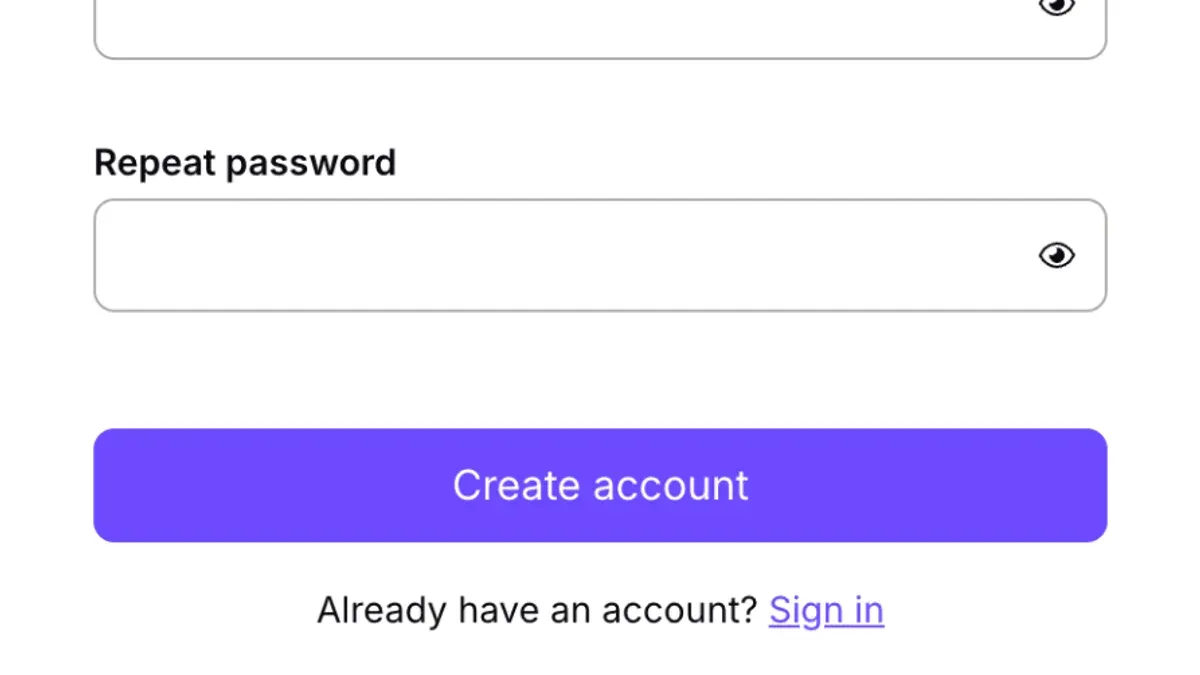
Next, create a strong password using a mix of uppercase, lowercase, numbers, and symbols, aiming for at least 12 characters. Avoid common phrases or easily guessable strings. Enable two-factor authentication (2FA) via the "Settings" > "Security" tab immediately after account creation to add an extra layer of protection.
During setup, Proton Mail may request an existing email or phone number for account recovery. Verify this contact method promptly by following the emailed or SMS instructions. Failure to verify can lead to issues regaining access if the password is lost.
Common issues include the "Username already taken" error, which requires selecting a different username, and CAPTCHA verification failures, often resolved by refreshing the page or switching browsers. If the account creation process stalls, clearing cookies or trying a private browsing window often helps.
Tip: Write down the recovery key Proton Mail provides after account creation; it is essential for decrypting emails if the password is forgotten.
How to recover Proton Mail account after losing access?
Losing access to a Proton Mail account can happen if the password is forgotten or two-factor authentication (2FA) fails. The first step is to use the recovery email address set during account creation. Proton Mail sends a verification link to this email, allowing password reset and account restoration.
If no recovery email is linked or it is inaccessible, the next option is to use the account’s recovery codes. These one-time codes are generated when 2FA is enabled and must be stored securely. Entering a valid recovery code bypasses 2FA and permits resetting the password.
In cases where neither recovery email nor recovery codes are available, contacting Proton Mail support is necessary. Provide the original account username, approximate account creation date, and any other identifying details. Support teams verify ownership before assisting, but recovery success depends on prior recovery setup.
For example, a user locked out after losing their phone and forgetting the password could regain access by entering a saved recovery code. Without it, they must rely on recovery email or support. Users who skip recovery setup risk permanent loss of access.
Tip: Always save recovery codes offline and confirm a recovery email is configured during setup to avoid irreversible lockouts.
How to delete a Proton Mail account safely?
Deleting a Proton Mail account is a permanent action that erases all emails, contacts, and settings with no option for recovery. To start, log in and navigate to Settings > Account > Delete your account. Proton Mail will require re-entering the password and a confirmation step to prevent accidental deletion.
Before deletion, users should backup important data by exporting emails using Proton Mail’s Export tool or forwarding critical messages to another account. Contacts and calendars should be exported separately via the Contacts and Calendar sections. This ensures no essential information is lost.
Once deletion is confirmed, the account and all associated data are immediately removed from Proton Mail servers. Users cannot regain access or restore data afterward. Contacts will no longer be able to send emails to that address, so notifying them beforehand is recommended.
Some users prefer deletion over temporary deactivation to ensure complete removal of personal data and prevent any future use of the email address. One example is a user who closed their account after switching to a corporate email, backing up all emails first to avoid losing access to legacy information.
Tip: Double-check that all necessary data exports are complete before confirming deletion, as Proton Mail does not offer a grace period or recovery window.
Why is Proton Mail down and what to do when it happens?
Proton Mail service interruptions typically result from scheduled maintenance, distributed denial-of-service (DDoS) attacks, or unexpected technical glitches. Maintenance is often announced in advance on Proton's official blog or status page, aiming to improve security or add features. DDoS attacks can temporarily overload servers, causing delays or timeouts, while technical issues like hardware failures or software bugs may also disrupt service.
Users should verify the current service status by visiting the official Proton Mail status page at status.proton.me. This page provides real-time updates, including outage reports and estimated resolution times. Proton Mail also uses social media channels and email notifications for communication during widespread outages.
During downtime, users can switch to the Proton Mail mobile app or try accessing the web client from a different browser or device as a temporary workaround. Avoid repeatedly attempting login to prevent triggering security locks. For example, a past DDoS incident caused a 30-minute delay, clearly noted on the status page with ongoing progress updates.
Tip: Bookmark the Proton Mail status page for quick access whenever connectivity issues arise.
How secure is Proton email compared to other email services?
Proton Mail uses end-to-end encryption based on OpenPGP standards, ensuring that only sender and recipient can read emails. Mainstream providers like Gmail encrypt data in transit and at rest but retain decryption keys, allowing potential access by the service. In contrast, Proton's zero-access architecture prevents even Proton from accessing user messages. Privacy-focused competitors such as Tutanota employ their own encryption schemes but generally do not support OpenPGP, which Proton Mail offers for interoperability.
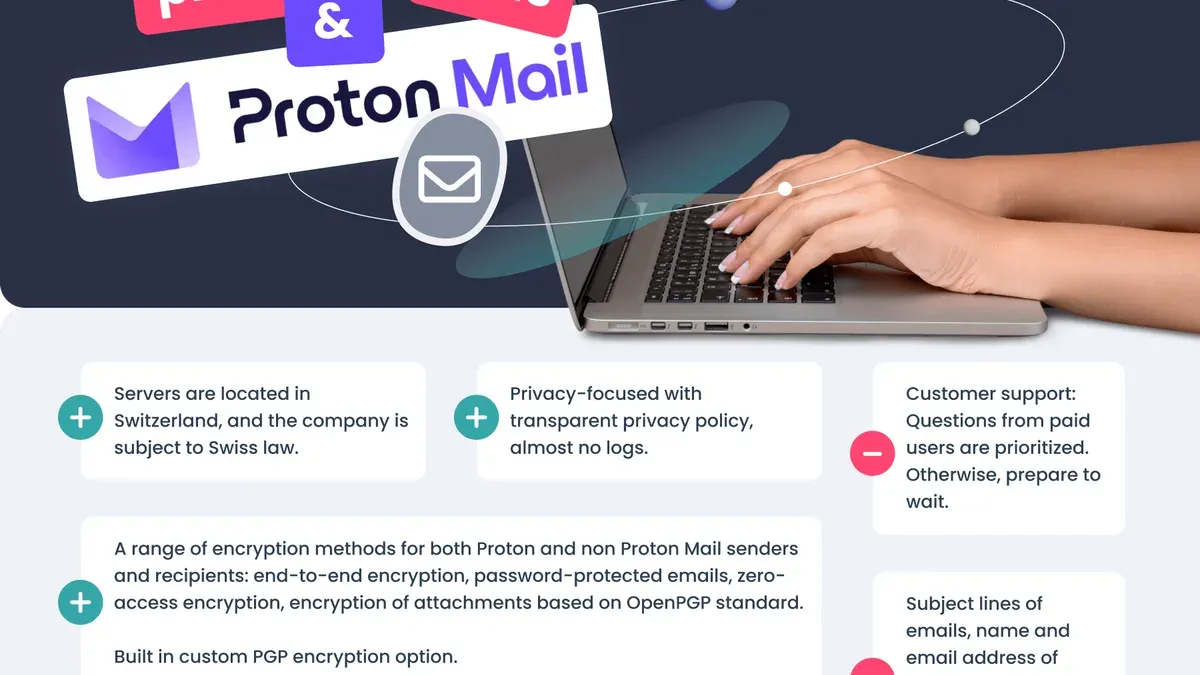
Proton Mail's servers are located in Switzerland, benefiting from strong data protection laws that limit government surveillance and data requests. Many mainstream services operate under jurisdictions with broader legal access, impacting user privacy. Additional security measures such as mandatory two-factor authentication (2FA), encrypted contacts, and self-destructing messages bolster Proton Mail's defenses beyond basic encryption.
| Feature | Proton Mail | Gmail | Tutanota |
|---|---|---|---|
| End-to-end Encryption | Yes (OpenPGP) | No (transport encryption only) | Yes (proprietary) |
| Zero-access Architecture | Yes | No | Yes |
| Data Jurisdiction | Switzerland | US | Germany |
| Two-factor Authentication | Supported | Supported | Supported |
| Encrypted Contacts | Yes | No | Yes |
Example: When sending a confidential project proposal to a colleague, Proton Mail encrypts the message so only the colleague’s private key can decrypt it. Even if Proton's servers were compromised, attackers cannot read the message content, unlike with Gmail where access to the server could expose the email.
Limitations include the need for both sender and recipient to use compatible encryption to achieve full protection. Also, phishing attacks and endpoint compromises remain risks regardless of Proton Mail’s robust backend security.
Common mistakes to avoid when using Proton Mail
Reusing weak or compromised passwords remains a top cause of account breaches across all platforms, including Proton Mail. Using passwords found in data dumps or simplistic phrases exposes accounts despite Proton Mail’s strong encryption. Setting a unique, complex password in the Settings > Security > Password section is essential.
Ignoring two-factor authentication (2FA) setup is another frequent error. Without 2FA enabled via Settings > Security > Two-Factor Authentication, accounts rely solely on passwords, making them vulnerable to credential theft. Enabling 2FA adds a critical second layer, typically through an authenticator app or hardware key.
Phishing attempts that mimic official Proton Mail communications are common. These emails often urge users to click links or provide credentials, exploiting trust in Proton’s brand. For example, a fake security alert asking to "verify account details" can lead to credential theft. Users must scrutinize email headers and avoid links from suspicious messages.
Failing to update recovery information regularly, such as recovery emails or phone numbers, reduces options when access is lost. If recovery details become outdated, account restoration via Settings > Account > Recovery is complicated or impossible.
Tip: Periodically review Settings > Security to ensure all protections and recovery options are current.
Frequently asked questions
Is proton email a scam?
Proton Mail is not a scam. It is a legitimate email service known for its strong focus on privacy and security, developed by a team of scientists and engineers. The platform uses end-to-end encryption to protect user data and operates under strict Swiss privacy laws. Users should remain cautious of phishing attempts claiming to be from Proton Mail, as scammers sometimes impersonate the service.
How to create a proton email account?
To create a Proton Mail account, visit the official Proton Mail website and click "Sign Up." Choose a free or paid plan, then select a username and a secure password. Complete the verification step by phone or email, and optionally set up two-factor authentication for added security. Avoid using easily guessable passwords and keep recovery options updated.
Is proton mail really secure?
Proton Mail uses end-to-end encryption, meaning emails are encrypted on the sender’s device and only decrypted by the recipient. Messages stored on Proton’s servers remain encrypted, reducing risks of unauthorized access. The service also employs zero-access architecture, so even Proton cannot read user emails, enhancing overall security compared to traditional email providers.
How to get Proton Mail account?
Obtaining a Proton Mail account requires signing up on Proton Mail’s official site. After selecting a plan, users create an email address and password, then verify their account via SMS or another email. Once signed up, the account is ready for immediate use through the web interface, mobile apps, or email clients configured with Proton Mail Bridge for desktop access.
What is Proton email new account creation process?
The new account creation process involves choosing a username and password, selecting a plan, and completing verification steps. Proton Mail may request phone verification to prevent spam accounts. Users can customize security settings during setup, such as enabling two-factor authentication and adding recovery email addresses to improve account safety and restore access if needed.
What this advice does not cover
This article does not cover advanced forensic recovery methods for severely compromised accounts or legal actions related to cybercrime. Some security advice assumes user familiarity with basic cybersecurity practices such as recognizing phishing attempts and using strong, unique passwords. Absolute security cannot be guaranteed in all scenarios, especially if device-level compromises or targeted attacks occur outside Proton Mail’s control.
The most effective next step is to enable two-factor authentication (2FA) immediately after creating a Proton Mail account. This extra layer of security significantly reduces the risk of unauthorized access and is a simple setting found under Settings > Security > Two-Factor Authentication. Regularly reviewing active sessions and revoking any unfamiliar devices also helps maintain account integrity.
See also: How to Handle and Prevent a Notion Account Hacked Situation · How to Recover and Secure a Hacked Outlook Account · How to Recover and Secure an OkCupid Account After a Hack · How to Secure and Manage a Nextdoor Account After a Hack